As an Amazon Associate & Influencer, we earn from qualifying purchases you might make if you click any of the links or buttons on this page at no expense to you.
When your Chevy Colorado’s backup camera stops working, it can make parking and reversing much more challenging and potentially unsafe. This comprehensive guide will walk you through the most common causes and proven solutions to get your backup camera functioning properly again. You’ll learn step-by-step troubleshooting methods, understand the underlying technology, and discover when professional help might be necessary.
The most common fix for a non-working 2024 Chevy Colorado backup camera is performing a system reset by turning off the vehicle, waiting 30 seconds, then restarting. If this doesn’t work, check the camera lens for dirt or damage, verify fuse integrity, and ensure all connections are secure.
How the 2024 Colorado Backup Camera System Works
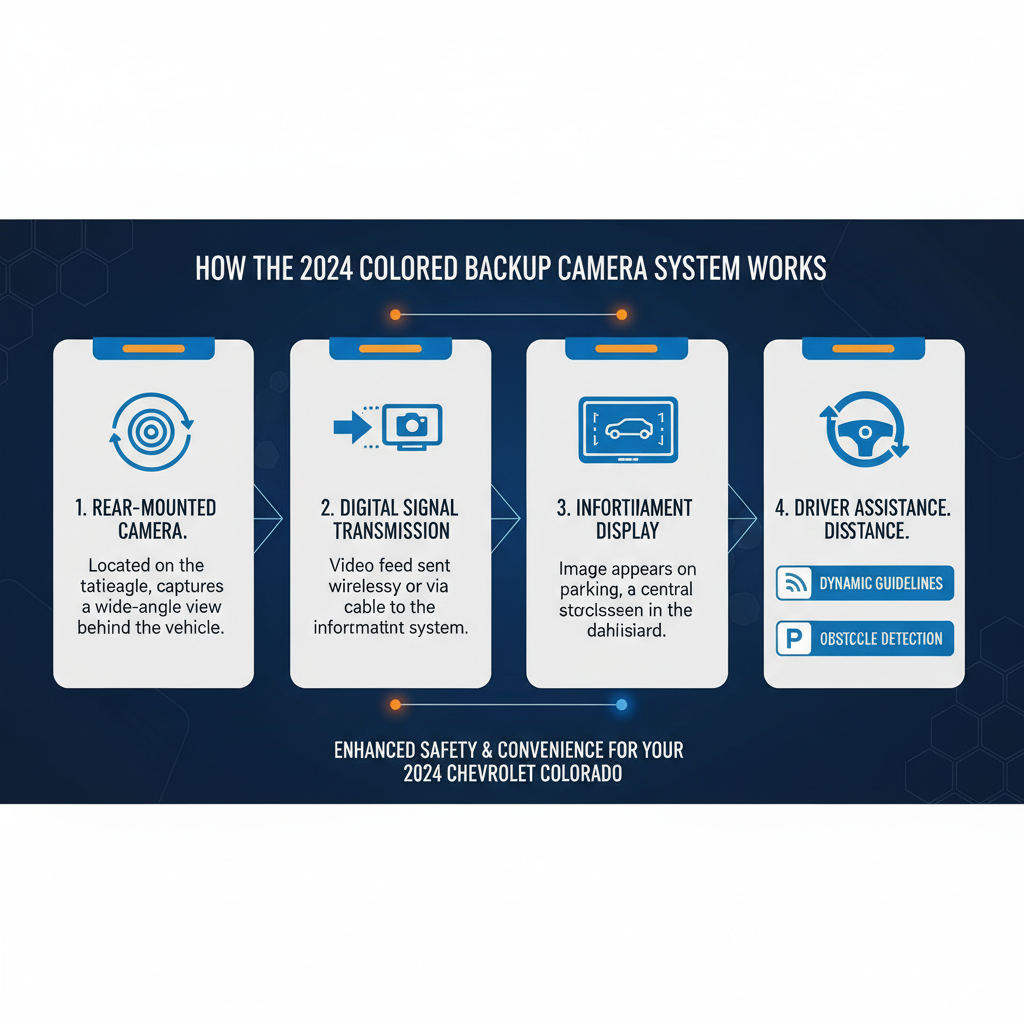
The 2024 Chevy Colorado uses an integrated backup camera system connected to the vehicle’s infotainment display. When you shift into reverse, the system automatically activates the rear-mounted camera and displays the feed on your touchscreen.
The camera itself is typically mounted above the license plate or integrated into the tailgate handle. It connects to the vehicle’s electrical system through a dedicated wiring harness that runs from the rear of the truck to the dashboard display unit.
The system includes dynamic guidelines that adjust based on your steering wheel position, helping you navigate into parking spaces or align with trailers. These guidelines are generated by the infotainment system using input from the steering angle sensor.
Most Common Causes of Backup Camera Failure
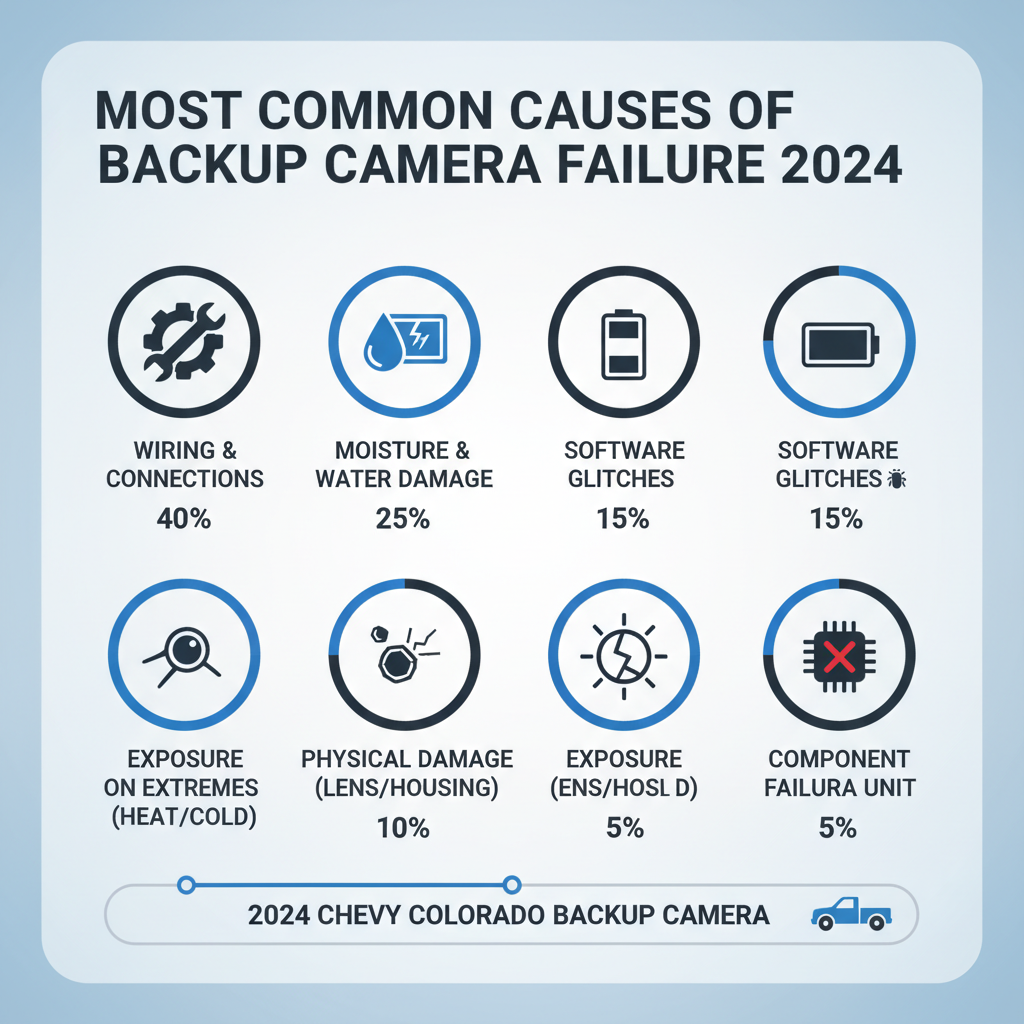
Several factors can cause your Colorado’s backup camera to malfunction. Understanding these causes helps you diagnose the problem more effectively.
Physical obstruction or damage represents the most frequent issue. Road debris, mud, snow, or ice can block the camera lens. Impact damage from backing into objects can crack the camera housing or misalign the lens.
Electrical problems often manifest as intermittent operation or complete system failure. Loose connections, corroded terminals, or damaged wiring can interrupt the signal between the camera and display unit.
Software glitches in the infotainment system can prevent proper camera activation. These issues may develop after system updates or due to memory corruption over time.
Step-by-Step Troubleshooting Process
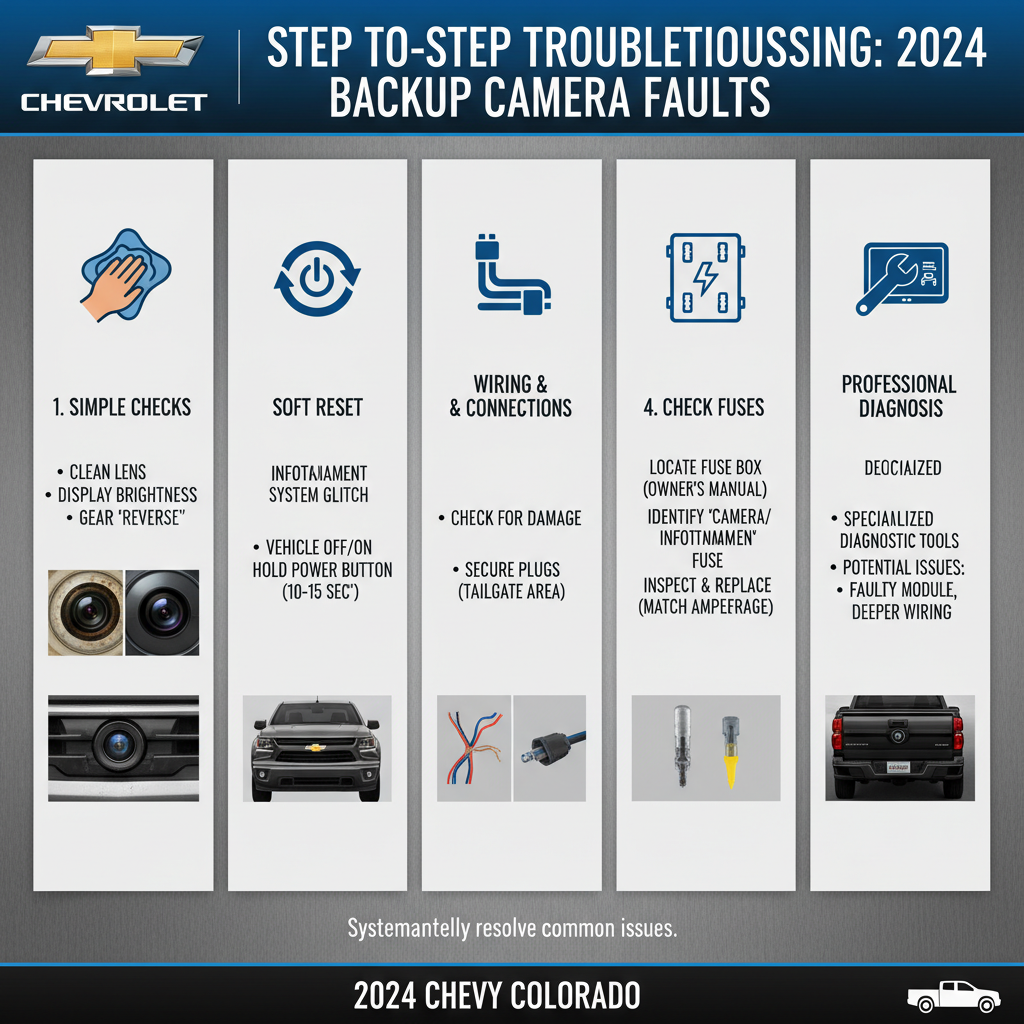
Start with the simplest solutions before moving to more complex diagnostics. This systematic approach saves time and often resolves the issue quickly.
Begin with a visual inspection of the camera lens. Clean any dirt, snow, or debris using a soft cloth and mild soap solution. Avoid harsh chemicals or abrasive materials that could damage the lens coating.
Perform a system reset by turning off your Colorado completely, waiting 30 seconds, then restarting. This clears temporary software glitches and reinitializes the camera system. Many intermittent issues resolve with this simple step.
Check the backup camera fuse located in the rear fuse box under the hood. The fuse is typically labeled “BCM” or “Camera” and should be a 10-amp fuse. Replace it with an identical fuse if blown, but investigate why it failed to prevent recurrence.
Test the system in different conditions to identify patterns. Note whether the problem occurs only in cold weather, after extended driving, or consistently regardless of conditions. This information helps narrow down the root cause.
Advanced Diagnostic Techniques
When basic troubleshooting doesn’t resolve the issue, more detailed investigation becomes necessary. These techniques require some technical knowledge but can identify specific problem areas.
Voltage testing at the camera connection point can reveal electrical issues. The camera should receive approximately 12 volts when the system is active. Use a multimeter to check voltage at the camera connector with the vehicle in reverse.
Connection inspection involves examining all wiring harnesses between the camera and display unit. Look for signs of corrosion, loose connections, or damaged wires. Pay special attention to connections near the tailgate hinge where wires flex repeatedly.
Software version verification through the infotainment system settings can identify outdated firmware. Some backup camera issues resolve with software updates available through GM’s service network.
When Professional Service is Required
Certain backup camera problems require dealer or qualified technician intervention. Recognizing these situations prevents unnecessary frustration and potential damage from DIY attempts.
Internal camera component failure typically requires complete camera replacement. Signs include distorted images, color abnormalities, or complete signal loss despite proper electrical connections.
Infotainment system integration issues may require specialized diagnostic equipment to resolve. These problems often involve communication errors between the camera module and the main display unit.
Warranty coverage applies to most 2024 Colorado backup camera problems when the vehicle is still under the manufacturer’s warranty. Document the issue thoroughly and contact your dealer for covered repairs.
Preventive Maintenance Tips
Regular maintenance significantly reduces backup camera problems and extends system life. These simple practices take minimal time but provide substantial benefits.
Weekly cleaning of the camera lens prevents buildup of road grime and salt residue. Use clean water and a microfiber cloth, paying attention to the area around the lens housing where debris accumulates.
Seasonal inspections should include checking the camera housing for cracks or loose mounting hardware. Winter conditions are particularly harsh on exterior-mounted components.
Electrical connection protection involves applying dielectric grease to exposed connectors during routine maintenance. This prevents corrosion and ensures reliable electrical contact over time.
Cost Considerations and Repair Options
Understanding repair costs helps you make informed decisions about fixing your backup camera system. Prices vary significantly based on the specific problem and repair location.
DIY repairs for simple issues like fuse replacement or cleaning cost under $20 in materials. More complex electrical work may require tools and parts costing $50-100.
Professional diagnosis at a dealership typically costs $100-150 for comprehensive system testing. This investment often pays for itself by identifying the exact problem and preventing unnecessary parts replacement.
Camera replacement costs range from $200-400 for the part plus $100-200 for installation. Aftermarket cameras may cost less but could affect system integration and warranty coverage.
Frequently Asked Questions
Why does my backup camera work sometimes but not others?
Intermittent operation usually indicates loose electrical connections or software glitches. Temperature changes can affect connection reliability, causing sporadic failures. Try a system reset first, then inspect all connections for corrosion or looseness.
Can I replace the backup camera myself?
While technically possible, camera replacement requires removing interior panels and routing wiring harnesses. The job typically takes 2-3 hours and requires specific tools. Most owners find professional installation more cost-effective when considering time and potential complications.
Will aftermarket cameras work with my 2024 Colorado?
Aftermarket cameras can work but may not integrate properly with the factory infotainment system. You might lose dynamic guidelines, automatic activation, or other advanced features. OEM replacement cameras ensure full compatibility and functionality.
How do I know if the problem is the camera or the display?
Connect a known working camera to the system or test your camera on a different display if possible. If the camera works elsewhere, the problem lies in the display unit or connecting wiring. If it doesn’t work anywhere, the camera itself has failed.
Does cold weather affect backup camera performance?
Extreme cold can cause temporary display issues or slower system activation. However, the camera should still function normally once warmed up. Persistent cold-weather problems usually indicate moisture infiltration or connection issues rather than normal temperature effects.
Can software updates fix backup camera problems?
Yes, many backup camera issues stem from software bugs that updates can resolve. Check with your dealer for available infotainment system updates. Some updates address specific camera integration problems or improve system reliability.
What should I do if my backup camera shows a distorted image?
Distorted images typically indicate camera hardware failure or lens damage. Clean the lens thoroughly first, but if distortion persists, the camera likely needs replacement. Water damage or impact can cause internal component failure leading to image distortion.
Final Thoughts
Most 2024 Chevy Colorado backup camera problems have straightforward solutions that owners can handle themselves. Start with simple steps like cleaning the lens and performing a system reset before moving to more complex diagnostics. Regular maintenance and prompt attention to minor issues prevent most major failures. When professional help becomes necessary, proper documentation of symptoms and troubleshooting attempts helps technicians diagnose problems more efficiently. Remember that warranty coverage may apply to many backup camera issues in newer vehicles, making dealer service the most cost-effective option for complex repairs.