As an Amazon Associate & Influencer, we earn from qualifying purchases you might make if you click any of the links or buttons on this page at no expense to you.
Start with the VIOFO A119 Mini 2 if front recording is enough. Choose the ROVE R2-4K Dual for front-and-rear coverage with a supplied 128GB card, or the Garmin Mini 3 when a small, screenless camera is the priority. The REDTIGER F7NP is another dual package to compare by its exact bundle and current price. The VIOFO VS1 adds another route: a compact 2K front camera with GPS and a supplied 32GB card. “Affordable” here means a sensible complete setup, not a promise that every model stays below a fixed price.
Compare the complete cost: a camera may also need an endurance memory card and a separate power kit for parking recording. “4K” in a title does not establish native capture or guarantee readable plates. All four record the front; only the ROVE and REDTIGER packages here add rear recording.
Quick picks: three ways to choose
Front-only value
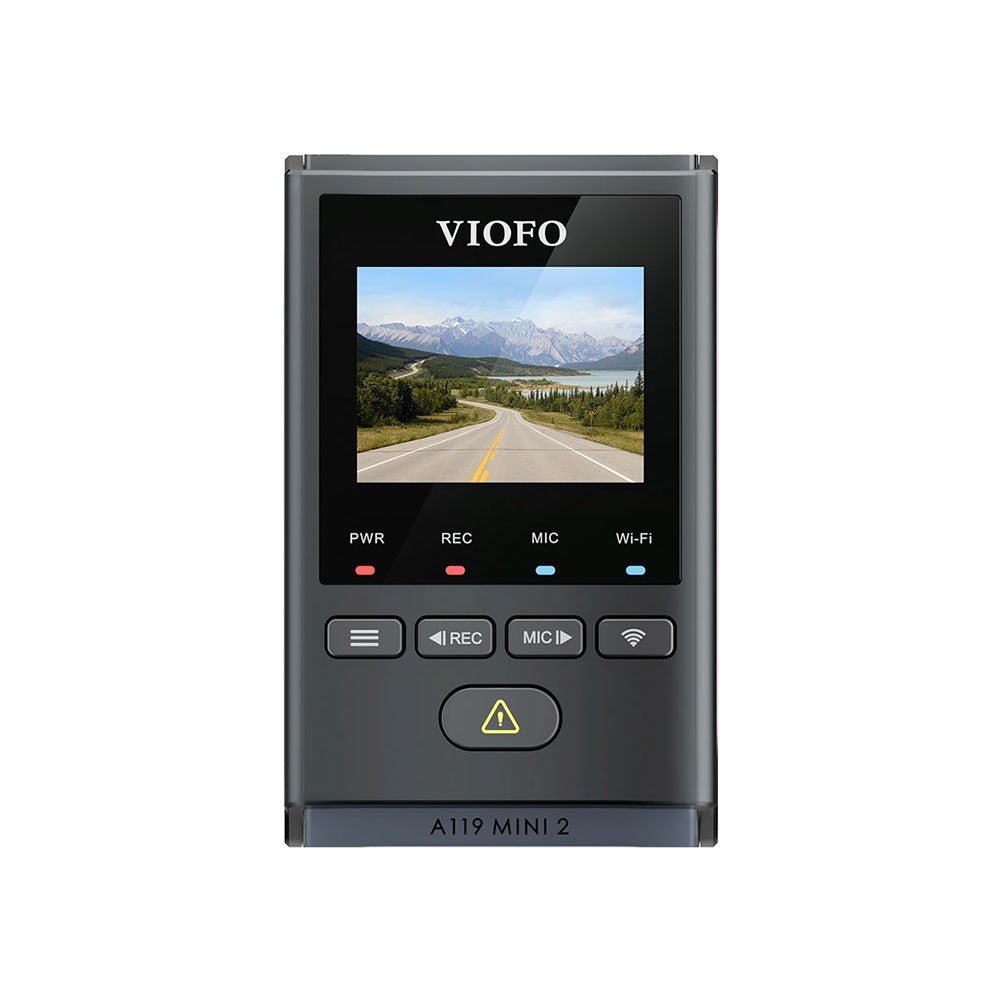
VIOFO A119 Mini 2
2K recording, a STARVIS 2 sensor, GPS and a small screen; add a memory card.
Skip it if: rear recording is essential now or later.
Complete dual package
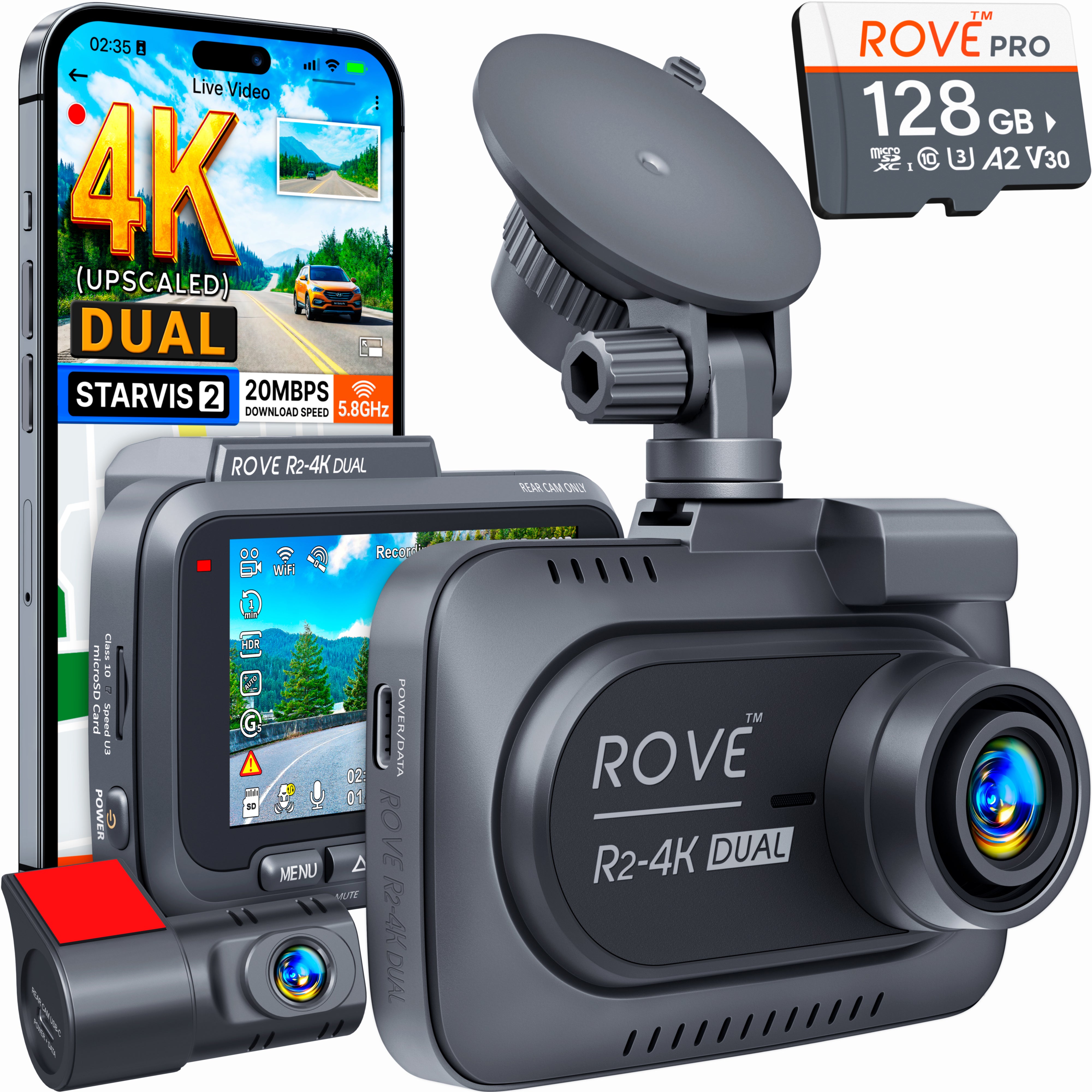
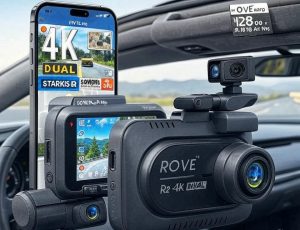
ROVE R2-4K Dual
Front and rear cameras, GPS and a 128GB card; front 4K output is upscaled.
Skip it if: native 4K capture or a cabin-facing third camera is a requirement.
Small and discreet
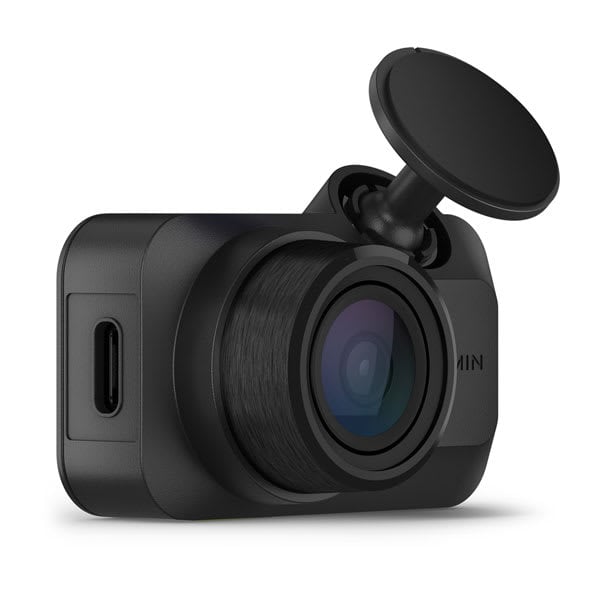
Garmin Dash Cam Mini 3
A compact 1080p camera with a built-in polarizer; local recording does not need Vault.
Skip it if: you need a screen, built-in GPS or rear recording in the same package.
Compare affordable dash-cam packages
| Dash cam / best for | Recording / storage | Installation / key limitation | Amazon |
|---|---|---|---|
| VIOFO A119 Mini 2 Best front-only starting point | Front only: 2560 × 1440 at 60fps, or HDR at 30fps | Card and HK4 parking kit extra; no rear-camera expansion. | Check Current Price on Amazon |
| ROVE R2-4K Dual Best dual package with included storage | Front: 4K upscaled; rear: 1080p; 128GB card included | Parking kit extra; R2-4K Dual is different from Dual Pro and front-only R2 models. | Check Current Price on Amazon |
| Garmin Dash Cam Mini 3 Best compact screenless option | Front only: 1080p/30; built-in Clarity polarizer | Card extra; no onboard GPS. Vault, Live View and Parking Guard have added conditions. | Check Current Price on Amazon |
| REDTIGER F7NP Alternative dual package to price-check | Front 4K output + rear 1080p; current listing includes a card | F7NP revisions vary; verify card capacity, Wi-Fi version and parking-kit inclusion. | Check Current Price on Amazon |
| VIOFO VS1 Best compact 2K package with GPS and storage | Front only: 2560 × 1440 at 30fps; HDR, GPS and 32GB card | Screenless; HK5 parking kit and CPL-400 filter separate. | Check Current Price on Amazon |
Jump to: Choose by your situation · Head-to-head decisions · Required extras · Purchase worksheet · FAQs
Choose a dash cam by the job it needs to do
| Your priority | Start with | What could change the choice |
|---|---|---|
| Front recording with a screen for setup | VIOFO A119 Mini 2 | Add the endurance-card cost; choose dual-channel if the rear is essential. |
| Front and rear coverage, with known starting storage | ROVE R2-4K Dual | Check the rear cable route and add the parking-power cost if needed. |
| A small screenless camera with an included polarizer | Garmin Mini 3 | It records 1080p and has no GPS of its own; card and optional remote-service costs are separate. |
| Compact 2K front recording with GPS and included storage | VIOFO VS1 | Phone-based setup; 32GB may be less retention than you need. |
| A second front/rear offer to compare today | REDTIGER F7NP | Confirm the current revision, selected card bundle and parking-kit contents. |
| Interior coverage for passengers as well as the road | A documented cabin-camera package | The picks here do not include a cabin channel; a rear road camera is not a cabin camera. |
Start by ruling out the wrong channel count. Then compare the complete package and the way you will retrieve a clip. A camera you can install correctly, check regularly and download from when needed is a better purchase than a higher-resolution label with a setup you will not maintain.
1. VIOFO A119 Mini 2 — Best front-only starting point
Choose it if: front recording is enough and you want a compact camera with GPS and selectable recording modes.
Skip it if: rear recording is essential now or later.
The A119 Mini 2 is the starting point when your budget is better spent on one documented front camera than on extra channels you do not need. It pairs a compact wedge shape with GPS, a screen and clearly specified recording modes.
Key features
- Recording: 2K 1440p at 60fps, or HDR recording at 30fps; HDR and 60fps are not simultaneous.
- Sensor and lens: Sony STARVIS 2 IMX675, F1.6 aperture and a 140-degree view.
- Controls: 1.5-inch screen, voice commands, Wi-Fi app access and GPS.
- Power: supercapacitor design; parking modes need an appropriate external power installation.
The recording-mode choice gives you control over what to prioritize. HDR can help manage bright and dark parts of a scene; 60fps records more frames each second. Neither setting removes glare, motion blur or the limits of a distant plate, so check a sample from your own installation.
Who should choose it over the VS1?
A small on-camera screen can make initial aiming and later setting checks easier when you do not want every task to depend on a phone. Its optional 60fps mode is another concrete difference. Add the missing card to the price comparison, then decide whether those two features justify the complete basket versus the VS1’s included-storage, screenless approach.
Installation and limitations
The linked base listing includes the camera, GPS mount/module and charging accessories, but explicitly excludes the microSD card and HK4 hardwire kit. Buy a compatible endurance card and format it in the camera. For parking recording, use the manufacturer-specified HK4 installation and appropriate fuse connections; an ordinary switched power outlet cannot keep it recording after power is removed.
This is a dedicated single-channel model. There is no rear-camera add-on path, so choose a dual-channel package if rear coverage matters. A CPL polarizing filter is an optional extra, rather than an assumed part of the base purchase.
See VIOFO’s A119 Mini 2 specifications and the recording and parking-mode manual.
Buying the VIOFO A119 Mini 2? Check the selected model, package, seller and condition before ordering.
2. ROVE R2-4K Dual — Best dual package with included storage
Choose it if: you want front-and-rear coverage with an included card and an on-camera screen.
Skip it if: native 4K capture or a cabin-facing third camera is a requirement.
The R2-4K Dual is the package to compare when front and rear coverage matters and you want storage included. The exact model name is important: ROVE sells other R2 cameras with different recording capabilities and channel arrangements.
Key features
- Channels: front and rear recording, with front output described by ROVE as 4K upscaled and the rear at 1080p.
- Front sensor: Sony STARVIS 2; do not confuse output resolution with native sensor detail.
- Package: rear camera, connection cable and a ROVE 128GB microSD card included.
- Controls: 3-inch IPS screen, GPS and Wi-Fi access through the ROVE app.
The included card is a practical budget benefit because it removes one immediate separate purchase. Its screen also lets you check framing without depending entirely on a phone. The front resolution description needs equal prominence: an upscaled 4K file is not proof of native 4K image capture or superior plate detail.
Before committing to a dual installation
Inspect where the rear camera will sit and how the cable will reach it, including movement of a hatch. The front screen helps with setup, but the rear file still needs its own playback check. If you would leave the rear camera uninstalled, a single-channel purchase may be better value than buying a two-channel bundle for the included-card headline.
Installation and limitations
The rear camera needs a cable run from the front unit to the back window. Check the supplied cable against your vehicle’s actual route, including a moving hatch or tailgate. Use the current ROVE-compatible USB-C hardwire kit if parking mode is part of the plan; it is separate from this base camera-and-card package.
This two-camera bundle does not record the cabin. It also adds installation work compared with a front-only camera. Buy the R2-4K Dual described here, rather than treating the front-only R2-4K, R2-4K Pro or R2-4K Dual Pro as interchangeable products.
See ROVE’s exact R2-4K Dual specification and package list.
Buying the ROVE R2-4K Dual? Check the selected model, package, seller and condition before ordering.
3. Garmin Dash Cam Mini 3 — Best compact screenless option
Choose it if: a small front camera and minimal windshield clutter matter more than higher recording resolution.
Skip it if: you need a screen, built-in GPS or rear recording in the same package.
The Mini 3 is the compactness pick, rather than the highest-resolution choice. Garmin specifies a body about 5.2 × 3.2 × 2cm, making it a candidate for a discreet installation where a larger screen-equipped camera would be unwelcome.
Key features
- Recording: 1080p at up to 30fps with HDR and a 140-degree view.
- Lens: integrated Garmin Clarity polarizer to reduce windshield reflections.
- Operation: voice controls and Garmin Drive smartphone setup/video access; no built-in display.
- Storage: microSD card required and sold separately; no onboard GPS location recording.
Its built-in polarizer avoids a separate filter purchase. The tradeoff is that framing, settings and video review rely more on your phone. This is a sensible choice when a small camera is the main requirement, but its price should be compared with the A119 Mini 2 rather than assumed to be the cheapest option.
How to keep the compact choice affordable
Use local card recording as the base budget, then add only the remote features you need. Count the card as a separate purchase and recognize that the polarizer is already integrated. Compare the VS1 if built-in GPS and 2K output are higher priorities than the Garmin workflow; compare the A119 if a device screen matters more than the smallest screenless format.
Installation and limitations
Garmin lists an adhesive mount, a 13-foot vehicle power cable and a dual-USB adapter in the package. Add a supported memory card. Garmin specifies its optional Constant Power Cable for relevant continuous-power features. Live View needs a Wi-Fi connection and a paid Vault subscription; Parking Guard also requires the applicable continuous-power equipment and subscription.
Ordinary local recording to the card does not require a Vault plan. Remote viewing and alerts are different features, so include any service cost only if you want them. The Mini 3 has no GPS of its own; Garmin’s synchronized GPS-enabled-camera option requires another separately purchased camera.
See Garmin’s Mini 3 specifications and the Mini 3 manual for card, power and Vault requirements.
Buying the Garmin Dash Cam Mini 3? Check the selected model, package, seller and condition before ordering.
4. REDTIGER F7NP — Alternative dual package to price-check
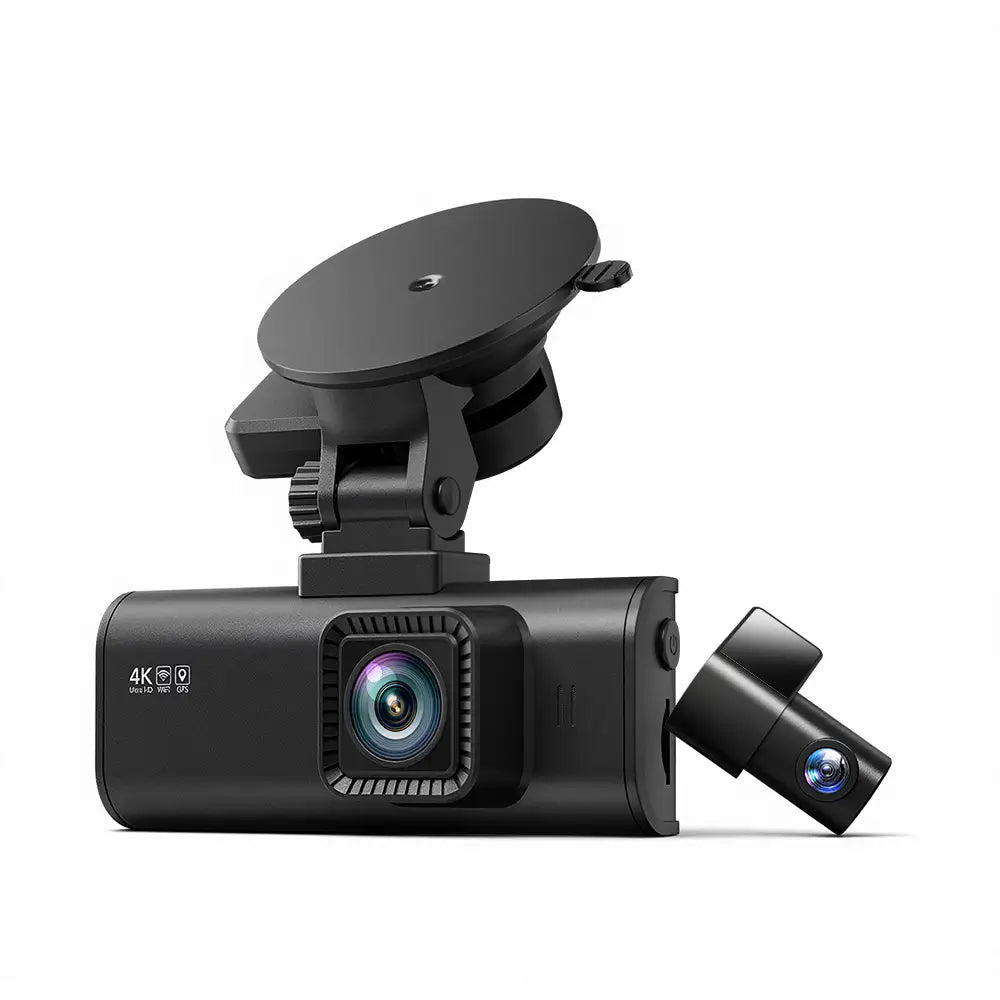
Choose it if: you want another front-and-rear package to compare against the ROVE’s complete installed cost.
Skip it if: you require verified native 4K capture or plan to buy without checking the current bundle.
The F7NP is an alternative to price-check against the ROVE, rather than a separate recommendation for everyone who sees “4K” in a title. The current manufacturer page and linked Amazon listing describe a refreshed STARVIS 2 model with front-and-rear recording.
Key features
- Channels: front output marketed as 4K, with 1080p rear recording.
- Current revision: STARVIS 2 sensor and 5.8GHz Wi-Fi in the checked listing.
- Navigation data: GPS support for recorded speed and location information.
- Package: front and rear cameras with a memory card in the linked offer; check its selected capacity.
REDTIGER defines the 4K description in terms of the exported video file. That does not, by itself, verify native 4K sensor capture. Choose between this package and the ROVE using the actual bundle, mounting requirements and current price, rather than expecting a guaranteed detail advantage from the label.
What to confirm on the selected Amazon offer
Match F7NP, the current listed sensor/Wi-Fi revision, the supplied card and rear camera before comparing the price with ROVE. Save the selected package details for setup and support. A price advantage is useful only when the intended contents are present. A store page for a different bundle or an older review cannot settle those contents for today’s offer.
Installation and limitations
Confirm that the seller’s offer matches the current F7NP revision and includes the rear camera, appropriate cables and card. Parking recording requires compatible continuous power. REDTIGER advertises a free hardwire kit on its own website, but that website-specific bonus should not be assumed for the Amazon package.
The F7NP is different from the F7N Touch, and older F7NP material may describe different Wi-Fi or sensor hardware. Review the selected offer before purchase. Neither this model nor the ROVE provides a cabin camera in the two-channel package, and the supplied rear camera needs a clear rear-window view.
See REDTIGER’s F7NP specifications and current package distinctions.
Buying the REDTIGER F7NP? Check the selected model, package, seller and condition before ordering.
5. VIOFO VS1 — Best compact 2K package with GPS and storage

Choose it if: you want a discreet front camera, GPS data and a card in the box, and are comfortable using a phone for setup.
Skip it if: you want an on-camera screen, 60fps at 2K, or a rear-camera upgrade path.
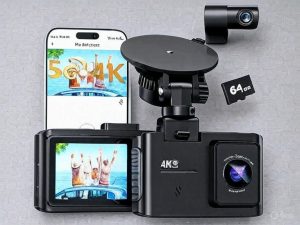
The VS1 fills a useful gap between the A119 Mini 2 and Garmin Mini 3. It keeps a small, screenless format while adding built-in GPS and 2K HDR recording. The linked US package includes a VIOFO 32GB microSD card, so ordinary driving recording does not require that first extra purchase.
Key features
- Recording: single-channel 2560 × 1440 at 30fps, with HDR support; this is not the A119 Mini 2’s 2K/60fps option.
- Imaging: Sony STARVIS 2 IMX675, F1.6 lens and 140-degree field of view.
- Operation: no screen; app access, voice control and built-in GPS.
- Package: camera, 32GB VIOFO card, vehicle charging cable, data cable and mounting accessories.
Included storage is especially useful if you want a straightforward front-only purchase. The supplied card still needs formatting and a recording check, and its capacity should be judged against your retention needs. GPS can add location and speed data to footage; it does not turn the camera into a route-guidance screen.
A complete starting package is not unlimited retention
Use the included card to confirm the setup and estimate file size at your chosen mode. If the resulting recording window is too short for your usual drive or parking use, budget a larger supported endurance card before calling the VS1 the cheaper complete package. The supplied storage is a starting point, not evidence of a full day of retained footage.
Installation and limitations
VIOFO specifies the HK5 hardwire kit for the VS1’s parking installation. Do not transfer the A119 Mini 2’s HK4 advice merely because both cameras use USB-C. A polarizer is a separate CPL-400 accessory for this model, rather than the A119’s CPL-100. Check the exact accessory name before adding either to the basket.
Phone-based framing and playback are the main practical tradeoff. If you prefer checking the image directly on the device, the A119 Mini 2 is a better starting point. If rear coverage matters, buy a two-channel system now: the VS1 is a front-only model. A larger supported endurance card can extend the loop-recording window, but is an optional extra.
See VIOFO’s exact VS1 specifications and package and the model-specific HK5 parking kit.
Buying the VIOFO VS1? Check the selected model, package, seller and condition before ordering.
What else you need
All four need vehicle power and compatible storage. The base camera package and a complete parking installation are different purchases.
| Item | When it is needed | Included or separate? |
|---|---|---|
| Compatible endurance microSD card | Required for recording. Choose a supported card intended for repeated video writing, then format it in the camera. | ROVE package includes 128GB; current F7NP offer includes a card—verify capacity. VIOFO base and Garmin Mini 3 require a separate card. |
| Supplied vehicle adapter and cable | Required for ordinary powered driving recording. Check outlet voltage and whether it switches off with the ignition. | Use the camera’s supplied or manufacturer-approved power equipment. A spare USB port is not proof of compatibility. |
| Parking power equipment | Required if recording must continue after the usual driving power is removed. | VIOFO: HK4. ROVE: compatible ROVE USB-C hardwire kit. REDTIGER: revision-matched hardwire kit. Garmin: applicable Constant Power Cable. Separate unless the exact listing says otherwise. |
| Fuse adapters and installation | Needed for a fuse-box hardwire installation; connections must match the kit and vehicle. | Vehicle-specific fuse taps may be separate. Verify switched/constant circuits, ground and low-voltage cutoff instructions. |
| Rear-camera cable route | Required only for the ROVE and REDTIGER dual packages. Check route length and hatch movement. | Rear camera/cable supplied with the selected dual package. Extensions must be exact-model compatible if needed. |
| CPL polarizing filter | Optional for models with a supported separate filter. It can reduce reflections but does not guarantee clear plates. | Mini 3 has a built-in polarizer; do not assume a separate filter is in the VIOFO, ROVE or REDTIGER base package. |
| Online service subscription | Optional only when you want supported cloud features. | Garmin Vault/Live View have subscription and connection conditions. Local Wi-Fi access on another camera is not an equivalent remote service. |
| VS1 parking and reflection accessories | For compatible parked recording or glare reduction | HK5 hardwire kit and CPL-400 polarizer separate; do not substitute A119 accessories. |
Which affordable dash cam should you choose head to head?
A119 Mini 2 vs VS1: the screen and frame-rate choice
Both are single-channel VIOFO cameras with a STARVIS 2 IMX675 sensor, GPS and documented 2K recording. Choose the A119 Mini 2 for its small screen and the option of 2K/60fps, with HDR at 30fps as a separate mode. Choose the VS1 for a screenless installation with a supplied 32GB card and 2K/30fps HDR. A shared sensor does not prove identical footage: lens placement, firmware, settings and exposure also matter.
Price the A119 with the card you will actually buy, then compare it with the VS1 package. If you need more than 32GB retention, include a larger supported card in the VS1 basket too. Their parking accessories differ: HK4 is the documented A119 installation discussed here, while the VS1 uses HK5. The filter names differ as well, so keep model-specific accessories attached to their respective baskets.
VS1 vs Garmin Mini 3: GPS and 2K versus integrated polarization
The VS1 gives you built-in GPS and 1440p output, with starting storage included. The Mini 3 gives you an integrated polarizer and Garmin’s app ecosystem, with 1080p HDR and no GPS of its own. Neither includes a screen or rear recording. Decide whether location data, a supplied card, integrated reflection control or the Garmin workflow is more useful to you, then compare the full cost rather than declaring a winner from the pixel count.
If remote access is the reason you are considering Garmin, cost its specific supported services, continuous power and Wi-Fi requirement before purchase. The nearby Wi-Fi connection used to download VIOFO footage is a different function. A phone connected at the windscreen does not demonstrate access to the camera from another town.
ROVE R2-4K Dual vs REDTIGER F7NP: compare the baskets
The ROVE’s verified 128GB card makes its starting storage easier to budget. The REDTIGER offer needs a fresh check of the selected bundle and revision; do not import the manufacturer store’s free-accessory promotion into Amazon. Both packages add the practical task of running a cable to the rear window. Check camera placement, cable length and hatch movement before choosing either.
ROVE explicitly calls its front 4K output upscaled; REDTIGER defines 4K by exported file dimensions. Neither wording is enough to establish a native-capture or number-plate-detail winner. If one complete setup is cheaper, that can be a reason to buy it after coverage and installation pass. The guide does not claim a measured day/night advantage between these packages.
What does a complete affordable dash-cam setup cost?
| Setup | Included storage in the linked package | Add for your intended use |
|---|---|---|
| A119 Mini 2, driving only | No card | Supported endurance card; optional CPL-100. |
| VS1, driving only | 32GB VIOFO card | Larger supported card if retention needs it; optional CPL-400. |
| ROVE R2-4K Dual, driving only | 128GB card | Check rear cable suitability; approved extension if required. |
| Mini 3, driving only | No card | Supported card; polarizer is already built in. |
| F7NP, driving only | Verify selected offer; capacity not established here | Card if required and the correct rear-cable plan. |
| Any suitable model with parking coverage | Storage as above | Exact compatible power kit, installation supplies/labor and battery-protection plan. |
| Mini 3 with optional supported remote services | Card still required | Applicable service plan, Wi-Fi connectivity and continuous power. |
Use this equation: camera package + missing storage + parking power + required cable/accessory + installation + optional recurring service = cost for the features you intend to use. Compare that total between offers. Do not automatically buy every optional accessory: a parked-in-garage commuter may have little use for a parking setup, while someone leaving a car on the street may prioritize it over a screen.
An advertised bundle can also contain a card or kit that is unsuitable for your goal. Confirm the card’s supported type, the hardwire kit’s exact model and what the installer will supply. Avoid counting a website-only bonus twice, or treating a generic USB-C cable as proof of correct power signaling. Recheck seller, condition and the selected offer at checkout.
How much footage can your memory card keep?
There is no reliable universal “hours per GB” figure across these cameras. Resolution, frame rate, bitrate, channel count and reserved event space change the answer. Estimate your own setup from sample file sizes: add the front and rear file sizes for the same recording interval, then divide the usable recording capacity by the resulting MB per minute.
| Illustrative inputs only | Calculation | Estimated loop window |
|---|---|---|
| 60,000MB usable space; 200MB per minute combined | 60,000 ÷ 200 = 300 minutes | 5 hours |
| 120,000MB usable space; same 200MB per minute | 120,000 ÷ 200 = 600 minutes | 10 hours |
| 60,000MB usable space; 400MB per minute combined | 60,000 ÷ 400 = 150 minutes | 2 hours 30 minutes |
This makes the upgrade decision concrete. If you drive several hours before you can copy a clip, a small included card may give you too short a window. If you only need to save an event immediately, a smaller supported card may be sufficient. Locked events and parking files can reduce ordinary loop space, so inspect how your exact camera allocates storage and export important files promptly.
Parking mode: choose the recording behavior, not just the label
| Behavior | What it can capture | What to verify |
|---|---|---|
| Buffered event recording | An event clip can include footage from before the trigger | Exact supported mode, buffer timing, firmware and continuous power. |
| Impact-triggered wake-up recording | A clip after the camera detects a suitable trigger | Startup delay and whether pre-impact footage exists; do not assume it is buffered. |
| Time-lapse recording | Intervals across a longer parking period | Playback format and what happens to audio or detail in that mode. |
| Low-bitrate continuous recording | Ongoing footage at a lower storage rate | Supported mode, quality setting, power supply and available card space. |
A119 Mini 2 and VS1 documentation describes buffered parking support. Confirm the specific mode on the installed firmware and test entry into parking mode with the correct kit. Do not extend that claim to a different brand because its listing also says “parking monitor.” A low-voltage cutoff can stop recording to protect the starting battery; actual runtime depends on battery condition, kit settings and camera demand. “24-hour parking” is a capability label, not a measured runtime promise for your car.
A repeatable footage check you can do yourself
- Clean the windscreen inside and outside, remove the lens protector and frame the view while parked. Keep unnecessary dashboard reflections out of the image.
- Record ordinary trips in daylight and darkness without trying to create a dangerous test. Use the settings you intend to keep, not just the highest menu number.
- Inspect original files on a larger screen. Look at nearby vehicles, dark-road visibility, glare and moving detail; do not judge only from an app thumbnail.
- On dual systems, inspect the rear file separately. Tint, defroster lines and the rear-camera angle can produce a very different result from the front.
- Test the save button or voice command, then find that file and copy it to another device. Confirm that saving an event is not being confused with successfully exporting it.
- If the camera stops recording, reports card errors or overheats, address that issue before relying on it. Use the model’s documented operating limits and support instructions.
How to buy an affordable dash cam
Buy the coverage you need first
Front-only cameras have fewer cables to route and can be the sensible starting point for a tight budget. Dual cameras add a rear view but require a cable path to the back window. A rear-facing road camera is different from a cabin camera used for rideshare interiors. None of the selected two-channel packages adds a third cabin channel.
Do not buy a front-only A119 Mini 2 expecting to add a rear camera later. If rear coverage is already a requirement, compare the ROVE and REDTIGER packages now. If discretion matters more, the Garmin’s small screenless body may justify its cost even though it records at 1080p.
Understand resolution, HDR and frame rate
Resolution describes the output image dimensions; it does not tell the whole story about detail. The ROVE explicitly describes its front 4K output as upscaled. REDTIGER defines its 4K claim by exported file resolution. Neither label alone establishes native 4K capture. Lens quality, exposure, compression, reflections and motion also affect what is recorded.
VIOFO’s 60fps and HDR settings are separate choices: HDR is limited to 30fps on the A119 Mini 2. Check the actual selected mode after setup. No camera in this guide carries a promise that it will read every plate at night or at speed; that would require evidence from comparable recordings and conditions.
Count cards, cables and power kits
A supplied card can make a dual package easier to start using. Confirm its capacity and compatibility rather than transferring another seller’s bundle contents. The base A119 Mini 2 listing explicitly excludes a card; Garmin’s Mini 3 also needs one separately. Compare those added costs with the ROVE’s supplied 128GB card.
Parking mode needs continuing power. A supercapacitor helps the camera complete appropriate shutdown operations; it is not a battery that powers hours of recording by itself. Follow the manufacturer’s parking-power instructions and low-voltage protection settings. A camera advertised for 24-hour parking is not a guarantee of unlimited runtime on every vehicle battery.
Separate Wi-Fi transfer from remote monitoring
Built-in Wi-Fi usually connects your phone directly to the nearby camera for settings or downloads. It does not automatically connect the camera to the internet while you are elsewhere. ROVE’s and REDTIGER’s download-speed claims describe favorable transfer conditions, rather than guaranteed speeds for every phone.
Garmin’s connected Vault and Live View services have their own paid-subscription, Wi-Fi and power requirements. Add that recurring cost only if remote access is a feature you intend to use. Ordinary local recording can remain a card-based workflow.
Plan the mounting and rear cable route
Check the vehicle manual for the locations of airbags and driver-assistance cameras before routing cables or choosing a mounting point. Place the camera where its lens has a clear view, the mount holds securely and the device does not obstruct the driver. Follow the applicable local placement and recording rules for where the car is used.
For a rear camera, allow for a hatch or tailgate moving through its full travel. Factory tint, heating elements and window shape may affect the view. Use an approved extension when necessary; a similar connector does not prove another brand’s camera or cable works with the system.
Check the first recording before you need it
- Format the supported memory card in the camera and set the correct date, time and recording mode.
- Make a short stationary recording and confirm the front view; check the rear view on a dual system.
- Play back a sample and verify that video files actually save, including audio if you choose to record it.
- Test the event-save control and learn how to copy an important file before loop recording overwrites ordinary footage.
- If installed, confirm parking-mode transitions and the power kit’s low-voltage settings.
- Check recording indicators and review stored footage periodically; a mounted camera is not proof that a card is still recording.
Frequently asked questions
Is a cheap 4K camera better than a 2K camera?
The label alone cannot establish that. An upscaled 4K file can contain fewer captured details than the output dimensions suggest. Compare verified sensor and recording information, the package contents and footage evidence when available, rather than choosing from resolution alone.
Do I need a subscription?
Not for ordinary local card recording on these picks. Garmin’s optional Vault and remote features have paid-service requirements. Local Wi-Fi settings/downloads on a camera are different from cloud storage or remote live viewing.
Can I use any memory card?
Use a supported type and capacity from the exact camera’s documentation. Repeated recording benefits from a suitable endurance card. Format it as directed and replace it if the camera reports errors; a card fitting the slot does not prove it can record reliably in that model.
Will parking mode work from the cigarette-lighter outlet?
It depends on the camera’s required power path and how the outlet behaves. An outlet that switches off cannot supply parking recording after shutdown. An always-on outlet also needs battery protection considered. Use the documented parking kit and installation for the camera instead of assuming the ordinary adapter is sufficient.
Need navigation as well as recording? The car GPS guide covers the combined DriveCam option. Once recording is set up, the guide to getting dash-cam footage explains common file-access methods; follow your exact camera manual for its controls.
Can a front-only camera add a rear camera later?
Not for the A119 Mini 2, VS1 or Mini 3 packages selected here. A USB port or app support is not proof of a rear-camera input. If you already want front and rear coverage, compare the documented two-channel ROVE or REDTIGER packages before buying a front-only model.
Is GPS necessary for a dash cam?
It is useful if you want location and speed information with recordings, but it is not necessary simply to record road video. The Mini 3 has no GPS of its own; the VIOFO picks and selected dual packages include GPS functions. Check whether location or speed is written into footage and whether you want that setting enabled.
What should I do with an important recording?
When safely parked, save or protect the event using the exact camera’s controls, then export the original relevant front/rear clips to another device. Check playback before assuming the export worked. Keep an original copy; a compressed messaging-app upload may omit quality or metadata. Do this before formatting the card or allowing ordinary loop footage to cycle out.
Which package should I choose?
Choose the A119 Mini 2 for front-only recording with a screen and a 60fps option; choose the VS1 for compact 2K/GPS recording with a starting card included. Choose the R2-4K Dual for front and rear with known 128GB storage, or the Mini 3 for a discreet Garmin installation with an integrated polarizer. Compare the F7NP only after checking the exact revision and full basket. Buy the coverage and workflow you will actually use.