As an Amazon Associate & Influencer, we earn from qualifying purchases you might make if you click any of the links or buttons on this page at no expense to you.
For most compatible wireless upgrades, start with the Pioneer DMH-W3050NEX. Choose the Kenwood DMX8710S for a higher-resolution screen, the Alpine iLX-W670-M for a shallow wired installation, or the Kenwood DDX5707S to keep CDs. Prefer a volume knob and Bluetooth music? The Pioneer MVH-S622BS fills that simpler role.
Check fit first: confirm your car’s year, trim, factory audio and available dash depth. These are receiver purchases; budget for the correct dash kit, harness and any factory-feature retention interface. Double-DIN size alone does not establish compatibility.
Quick picks: three different upgrade paths
Best for most
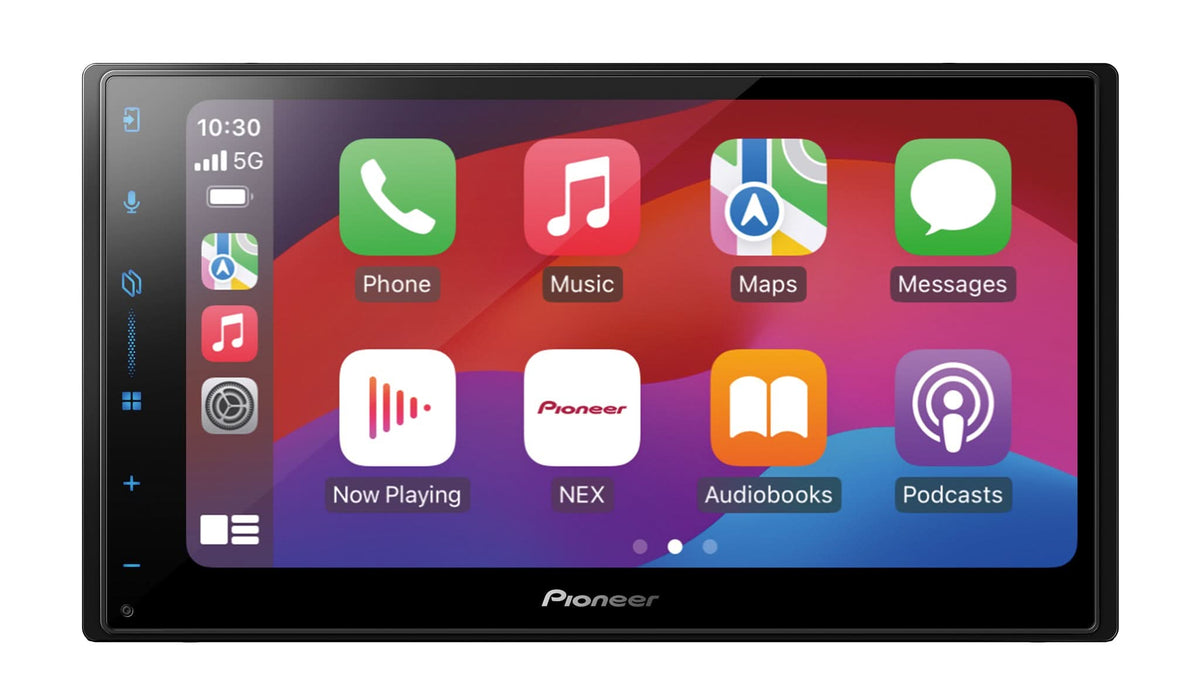
Pioneer DMH-W3050NEX
Wireless CarPlay and Android Auto, HD Radio and 4V pre-outs. Factory-feature retention needs a compatible interface.
Skip it if: you need CDs or a higher-resolution screen.
Shallow wired choice
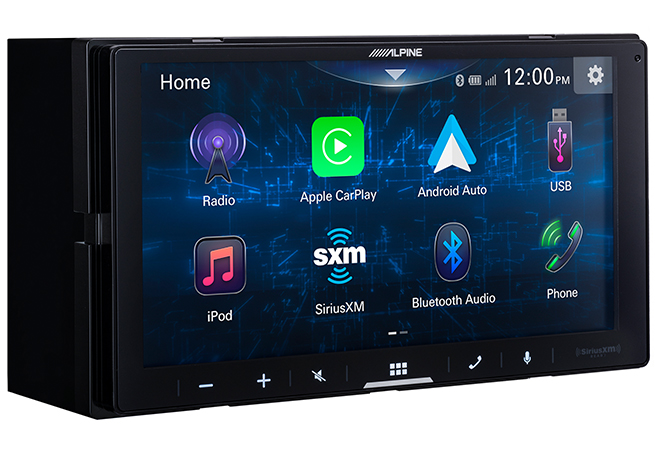
Alpine iLX-W670-M
A shallow 2.4-inch body with 4V pre-outs. CarPlay and Android Auto require USB.
Skip it if: you want wireless CarPlay or Android Auto.
Buttons and Bluetooth

Pioneer MVH-S622BS
Rotary volume control, physical buttons, Bluetooth and front USB for a music-focused upgrade.
Skip it if: you need phone maps, a backup-camera display or CDs.
Compare the best double-DIN head units
| Head unit / best for | Phone connection | Fit / key limitation | Amazon |
|---|---|---|---|
| Pioneer DMH-W3050NEX Best for most wireless upgrades | CarPlay + Android Auto: wired and wireless | 6.8-inch WVGA; L-shaped chassis. No CDs; retention interfaces are extra. | Check Current Price on Amazon |
| Kenwood DMX8710S Best for an HD screen and two-camera planning | CarPlay + Android Auto: wired and wireless | 6.92-inch HD; 109mm body. Second camera shares the AV input; no discs. | Check Current Price on Amazon |
| Alpine iLX-W670-M Best for a shallow dash with wired phone integration | CarPlay + Android Auto: wired only | 2.4-inch mounting depth. Wired projection only; order the exact -M revision. | Check Current Price on Amazon |
| Kenwood DDX5707S Best for keeping CDs and DVDs | CarPlay + Android Auto: wired only | 153mm body with CD/DVD. Wired projection only; separate control adapter. | Check Current Price on Amazon |
| Pioneer MVH-S622BS Best for physical controls without CarPlay | Bluetooth audio/calls; no CarPlay or Android Auto | Text display and rotary knob. No phone projection, camera input or discs. | Check Current Price on Amazon |
Selection basis: these recommendations compare manufacturer specifications and manuals for phone support, chassis fit, audio connections and integration. Each pick serves a different upgrade; linked documentation below explains the features and limits.
The touchscreen receivers above replace the radio and use compatible phone apps for navigation. None of these picks is a portable dashboard display. The MVH-S622BS is the deliberate exception to the touchscreen choices: it serves buyers who want Bluetooth audio and physical controls, without in-dash phone maps.
1. Pioneer DMH-W3050NEX — Best for most wireless upgrades
Choose it if: you want wired or wireless phone maps, HD Radio and outputs for a future amplifier.
Skip it if: you need CDs or a higher-resolution screen.
Choose the DMH-W3050NEX if you want phone navigation and music on a conventional in-dash screen, with the option to connect by cable or wirelessly. It covers the main daily-use features without moving to a large floating display.
Key features and connections
- Display and fit: 6.8-inch WVGA capacitive touchscreen on a double-DIN L-shaped chassis.
- Phone connection: wired and wireless Apple CarPlay and Android Auto.
- Audio expansion: three pairs of 4V RCA outputs, a 13-band EQ and time alignment.
- Radio and camera: built-in HD Radio, SiriusXM-ready and one dedicated rear-camera input.
The RCA outputs make this a useful starting point for a separate speaker amplifier and powered subwoofer or subwoofer amplifier. They carry an audio signal; they do not power a passive subwoofer. The tuning controls also let you adjust the system rather than choosing a receiver by its advertised maximum watts.
Installation and limitations
Installation: the microphone is included. To retain supported factory functions, use a compatible iDatalink Maestro RR/RR2 and the correct vehicle harness; both are separate purchases. A backup camera and SiriusXM tuner are also extra. The L-shaped body still needs enough clearance for its connections.
Main tradeoffs: the WVGA screen has less resolution than the Kenwood DMX8710S, and this receiver does not play CDs or DVDs. Choose it for everyday wireless projection and system expansion, rather than disc playback or the sharpest display here.
See Pioneer’s specifications for connections and Pioneer support for the exact model’s manuals and firmware.
Buying the Pioneer DMH-W3050NEX? Confirm the selected model, seller, condition and package contents on Amazon.
2. Kenwood DMX8710S — Best for an HD screen and two-camera planning
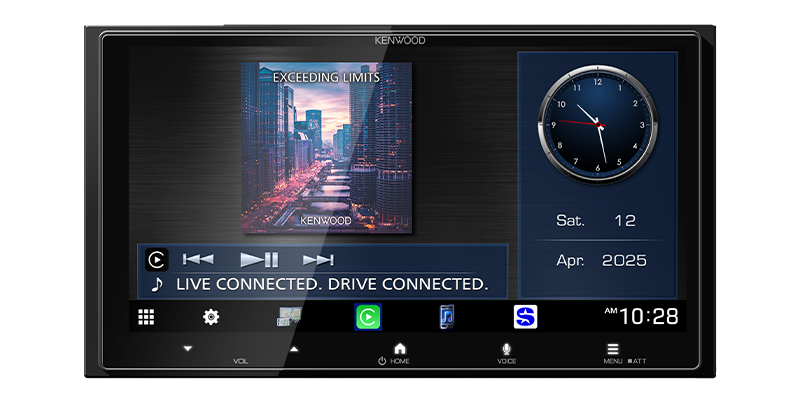
Choose it if: screen resolution matters and you want wireless phone projection with a documented two-camera option.
Skip it if: disc playback is essential; the DDX5707S is the disc option.
The DMX8710S is the pick for buyers who prioritize display resolution within a standard double-DIN installation. Its 1280 × 720 panel provides more pixels than the WVGA screens elsewhere in this guide. That is a documented display difference, rather than a claim about connection speed or sound quality.
Key features and connections
- Display: 6.92-inch HD capacitive touchscreen.
- Phone connection: wired and wireless CarPlay and Android Auto.
- Chassis: 178 × 100 × 109mm, before allowing space for cables and mounting hardware.
- Audio: three pairs of 3V RCA outputs, 13-band EQ and digital time alignment.
- Integration: Maestro RR/RR2 support and two camera inputs, with conditions below.
Two-camera support is useful when planning a front-and-rear setup, but the connections matter. The second camera shares the AV-IN/front-camera jack, so using it as a camera input gives up that jack’s ordinary AV-input role. The rear input supports Kenwood’s optional CMOS-740HD; this does not establish compatibility with every camera advertised as HD.
Installation and limitations
Installation: a microphone and GPS antenna are supplied. Cameras, the Maestro module and vehicle-specific harness are separate. Confirm the second camera’s connection cable and input settings before ordering it. Factory data and retained controls depend on the vehicle and interface configuration.
Main tradeoffs: it has no CD/DVD drive, and its 3V pre-outs should not be confused with the 4V outputs on the Pioneer and Alpine picks. Buy it for the HD screen and documented integration options; choose the DDX5707S if keeping discs is essential.
Check Kenwood’s product specifications and the DMX8710S instruction manual for the camera ports and installation drawing.
Buying the Kenwood DMX8710S? Confirm the selected model, seller, condition and package contents on Amazon.
3. Alpine iLX-W670-M — Best for a shallow dash with wired phone integration
Choose it if: dash depth is tight and you are happy to plug your phone into USB.
Skip it if: you want wireless CarPlay or Android Auto.
The iLX-W670-M makes sense when the space behind the radio is tight and you are happy to plug in your phone. Alpine specifies a 2.4-inch mounting depth. A short body can help an installation, but it does not eliminate the room needed for harnesses, adapters and USB routing.
Key features and connections
- Display: 6.75-inch touchscreen with 800 × 480 resolution; marketed as a 7-inch receiver.
- Phone connection: wired CarPlay and wired Android Auto.
- Audio: three pairs of 4V RCA outputs, 13-band EQ, six-channel time correction and crossovers.
- Expansion: one camera input, SiriusXM-ready and Maestro compatibility on this -M version.
This is a useful choice for a wired phone-and-amplifier build. You get tuning controls and front, rear and subwoofer signal outputs without choosing the receiver for a wireless feature you do not need. Alpine’s optional PowerStack amplifiers can mount behind it, but adding one changes the space and wiring required.
Installation and limitations
Installation: plan a reachable USB data connection for your phone. The receiver-side SWC adapter is not a universal vehicle-control interface. Maestro hardware and the applicable vehicle harness are sold separately, as are a camera, satellite tuner and optional PowerStack amplifier.
Main tradeoffs: neither phone platform is wireless, and there is no disc drive. Match the full iLX-W670-M model name when ordering; the older iLX-W670 and other suffixes are not interchangeable evidence for its Maestro features.
See Alpine’s iLX-W670-M specifications for the exact revision and compatible expansion equipment.
Buying the Alpine iLX-W670-M? Confirm the selected model, seller, condition and package contents on Amazon.
4. Kenwood DDX5707S — Best for keeping CDs and DVDs
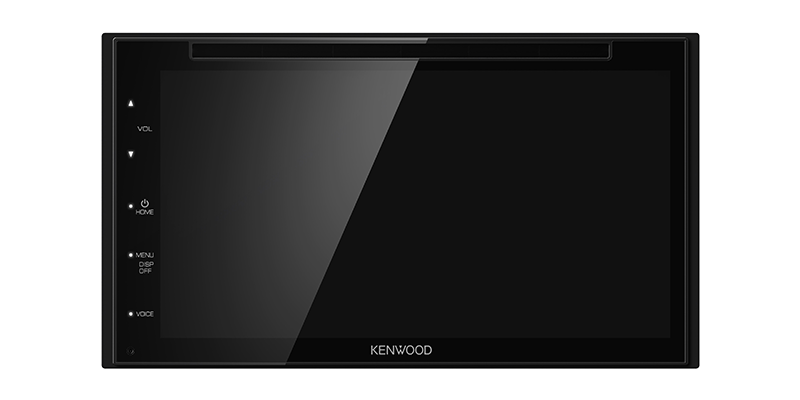
Choose it if: you want to keep CDs alongside wired CarPlay or Android Auto.
Skip it if: you need wireless phone projection or have limited dash depth.
Choose the DDX5707S if your CD collection is part of the reason for upgrading. It combines a DVD/CD drive with wired phone projection, so you do not have to replace every disc with a USB file or streaming service. It is the only disc-playing receiver in this shortlist.
Key features and connections
- Display: capacitive WVGA panel with a 6.75-inch diagonal, marketed as 6.8-inch.
- Phone connection: wired Apple CarPlay and Android Auto, plus Bluetooth calling and audio.
- Fit: 178 × 100 × 153mm main body without its sleeve.
- Audio and camera: 13-band EQ, time alignment, 2V front/rear RCA outputs, a mono subwoofer output and a rear-camera input.
The main compromise is installation depth: its 153mm body is deeper than the DMX8710S. Measure behind the dash kit with room for connected plugs, rather than measuring the screen or assuming the existing opening tells you everything.
Installation and limitations
Installation: the receiver package includes a microphone and radio harnesses. These do not replace the harness matched to your vehicle. Steering-wheel controls need a compatible separate adapter; do not assume this model supplies the Maestro data integration described for the DMX8710S. A camera and SiriusXM tuner are separate purchases.
Main tradeoffs: phone projection requires USB, there is no HD display, and the mono subwoofer connection needs to match your amplifier’s input arrangement. Keep the parking-brake connection and video restrictions specified in the manual; disc playback is not permission to bypass them.
Read Kenwood’s specifications and the DDX5707S manual for dimensions, disc formats and installation connections.
Buying the Kenwood DDX5707S? Confirm the selected model, seller, condition and package contents on Amazon.
5. Pioneer MVH-S622BS — Best for physical controls without CarPlay
Choose it if: music, a volume knob and physical buttons matter more than in-dash maps.
Skip it if: you need phone maps, a backup-camera display or CDs.
The MVH-S622BS is for drivers who want a double-DIN radio with a volume knob and ordinary buttons rather than touchscreen navigation. It is a digital media receiver: you can use Bluetooth and USB for music, but it does not play CDs or DVDs.
Key features and connections
- Controls: rotary volume control, physical buttons and a text display.
- Sources: Bluetooth audio and calls, front USB, AUX and AM/FM radio.
- Audio expansion: three pairs of 4V RCA outputs, 13-band EQ and time alignment.
- Phone limits: no Apple CarPlay or Android Auto; Pioneer Smart Sync is a different feature.
It is the straightforward alternative when the receiver’s job is music playback and you prefer physical controls. The front USB connection is also convenient if you do not want to route a phone cable from the back of a touchscreen receiver. Its amplifier outputs give it a role in an audio build as well as a basic radio replacement.
Installation and limitations
Installation: a microphone and radio wiring harness are included. Add the appropriate dash kit, vehicle harness and any required steering-wheel-control or factory-amplifier interface. SiriusXM needs its separate tuner. The receiver has no camera-video input, so it cannot display your existing backup camera.
Main tradeoffs: maps stay off the receiver, there is no touchscreen and no disc drive. Choose the DMH-W3050NEX instead if in-dash phone navigation or a backup-camera display is part of your plan. Do not mistake Smart Sync’s phone features for CarPlay support.
See Pioneer’s MVH-S622BS specifications for sources, controls and RCA connections.
Buying the Pioneer MVH-S622BS? Confirm the selected model, seller, condition and package contents on Amazon.
What else you need for a complete installation
Treat these receivers as radio purchases, rather than complete kits for your car. Included radio harnesses and trim pieces do not establish vehicle compatibility. The parts below are separate unless your exact purchase package explicitly includes the correct ones.
| Item | When you need it | Included or separate? |
|---|---|---|
| Dash kit or compatible factory brackets | Required when the new receiver cannot mount correctly with the existing parts. Check opening size, brackets, trim and depth. | Vehicle-specific; normally separate. |
| Vehicle wiring harness or data interface | Required to connect the receiver to the vehicle correctly. Some cars need an interface for accessory power, chimes or other functions. | Vehicle-specific; separate from the radio’s supplied power/speaker harness. |
| Factory amplifier and steering-wheel-control retention | Required if you want to keep compatible original equipment. Premium-audio configurations may need different parts from base audio. | Separate; a Maestro-ready receiver still needs the module, matched harness and programming. |
| Antenna adapter and antenna-power provision | Required when the original antenna connector or powered antenna arrangement does not match. | Vehicle-specific; separate when required. |
| USB data cable and port-retention adapter | Required for wired phone projection; also useful as a wired option on wireless receivers. An existing factory USB socket may need an adapter. | Use supplied extensions where applicable; phone and vehicle-specific cables/adapters may be extra. |
| Receiver-compatible microphone | Required for the receiver’s hands-free calling features. Factory microphone reuse must be documented by the interface. | Use the supplied microphone where listed for the exact receiver; confirm exact package contents. |
| Backup camera or factory-camera interface | Optional for a new camera; required to retain a factory camera that needs signal, connector or power adaptation. Only the four touchscreen picks can show camera video. | Cameras/interfaces sold separately for these receiver listings. |
| SiriusXM tuner and antenna | Optional if you want satellite radio. “SiriusXM-ready” does not mean a tuner is built in. | Separate tuner and applicable service subscription. |
| External amplifier and installation wiring | Optional for a separate amplified system. Required to drive a passive subwoofer from a receiver’s RCA signal outputs. | Separate; match the amplifier, speaker loads and wiring requirements. |
Start with the Metra vehicle application guide for dash and connection parts. For a Maestro build, check the iDatalink Maestro vehicle and radio configuration for your exact year, trim and factory equipment. A compatible module’s retained features vary by vehicle; do not assume it preserves every menu, camera or warning sound.
Factory camera check: confirm video format, connector, supply voltage and reverse-trigger requirements. An RCA camera input alone does not prove that a factory camera connects directly. If camera retention is essential, establish the complete interface path before buying the receiver.
How to choose a double-DIN head unit
Check physical fit before screen size
The conventional double-DIN radio body is approximately 7 inches wide and 4 inches high; the Kenwood bodies in this guide are specified at 178 × 100mm. The dash-kit opening, trim and depth still matter. A 7-inch screen measurement is its diagonal, not the size of the mounting opening. A floating screen on a single-DIN chassis is a different installation choice.
Measure the usable depth after accounting for braces, ducts, harnesses and connectors. The Alpine’s 2.4-inch mounting depth and Kenwood DMX8710S’s 109mm chassis can help with tighter spaces, while the DDX5707S disc receiver has a 153mm body. These numbers do not include every installed cable or adapter.
Choose wired or wireless projection for your actual phone
The Pioneer DMH-W3050NEX and Kenwood DMX8710S support both connection methods for CarPlay and Android Auto. The Alpine iLX-W670-M and Kenwood DDX5707S require USB for both. Bluetooth music support does not turn the MVH-S622BS into a CarPlay or Android Auto receiver.
Wireless projection still needs a compatible phone and does not provide charging by itself. For wired use, choose a data-capable cable with the correct phone connector and a reachable receiver USB port. Check Apple’s CarPlay setup guidance or Google’s Android Auto requirements for your device; generic Bluetooth compatibility is not enough.
Match the audio connections to the system
For external amplifiers, check the number of RCA outputs, their voltage and the available crossovers. Front, rear and subwoofer outputs make separate level control easier, but a higher voltage rating alone does not prove better sound. The DDX5707S has a mono subwoofer output, so check how your amplifier expects that signal.
Compare continuous or RMS speaker-output ratings at the stated load and test conditions. A “50W × 4” maximum figure is not the same as four channels of 50W continuous output. If you are replacing a factory-amplified radio, first establish whether the new receiver will retain that amplifier or feed a different one.
Compare the installed cost and the controls you will use
A lower receiver price can become a more expensive job once the dash kit, data interface, camera retention and labor are included. Ask for the whole parts list. Before ordering, confirm the exact model selection, seller, condition and package contents; a camera bundle or renewed receiver is a different purchase from the standalone model.
Choose a rotary knob if physical volume control matters to you. Choose a touchscreen if phone maps or camera viewing matter more. Do not pay for disc playback, a second camera input or vehicle-data features unless the installation will actually use them.
Checks after installation
- Confirm the receiver turns on and shuts down correctly with the vehicle, and every intended speaker plays.
- With the vehicle stationary, check calls, microphone pickup, wired/wireless phone connection and USB charging/data operation as applicable.
- Test retained steering-wheel controls, chimes, factory amplifier behavior and any vehicle menus specified by the interface.
- Check camera switching, image orientation and cable clearance in a controlled stationary test.
- Use the exact model’s manufacturer support instructions for firmware or interface programming; follow its power and update requirements.
Frequently asked questions
Will any double-DIN radio fit my car?
No. Chassis size is only one check. Your car also needs suitable mounting hardware, enough depth and the correct electrical interfaces. Factory audio, controls and camera equipment can change the required parts even within one model year.
Which pick is best if I need wireless Android Auto?
Start with the Pioneer DMH-W3050NEX for the everyday feature set, or the Kenwood DMX8710S if its HD screen and camera options justify the choice. Both also offer wired Android Auto. The Alpine iLX-W670-M and DDX5707S are wired-only choices, regardless of their Bluetooth calling support.
Can I keep my factory backup camera and steering-wheel controls?
Often there is a compatible upgrade path, but it depends on the vehicle, receiver and interface. Establish camera signal/power compatibility and the retained-control application separately. The MVH-S622BS cannot display a camera, and a Maestro-ready touchscreen still needs the applicable external hardware.
Do these receivers have built-in navigation?
They are not dedicated map-navigation receivers. The four touchscreens display supported navigation apps through CarPlay or Android Auto when used with a compatible phone. A supplied GPS antenna is not proof of a built-in offline map system. The MVH-S622BS does not put phone maps on its text display.
The final choice
For most compatible wireless upgrades, choose the Pioneer DMH-W3050NEX. Move to the Kenwood DMX8710S for the HD screen, the Alpine iLX-W670-M for a shallow wired installation, or the DDX5707S to keep discs. Choose the MVH-S622BS when physical controls and audio playback are the priority. Confirm the complete fitment and retention parts list before placing the order.