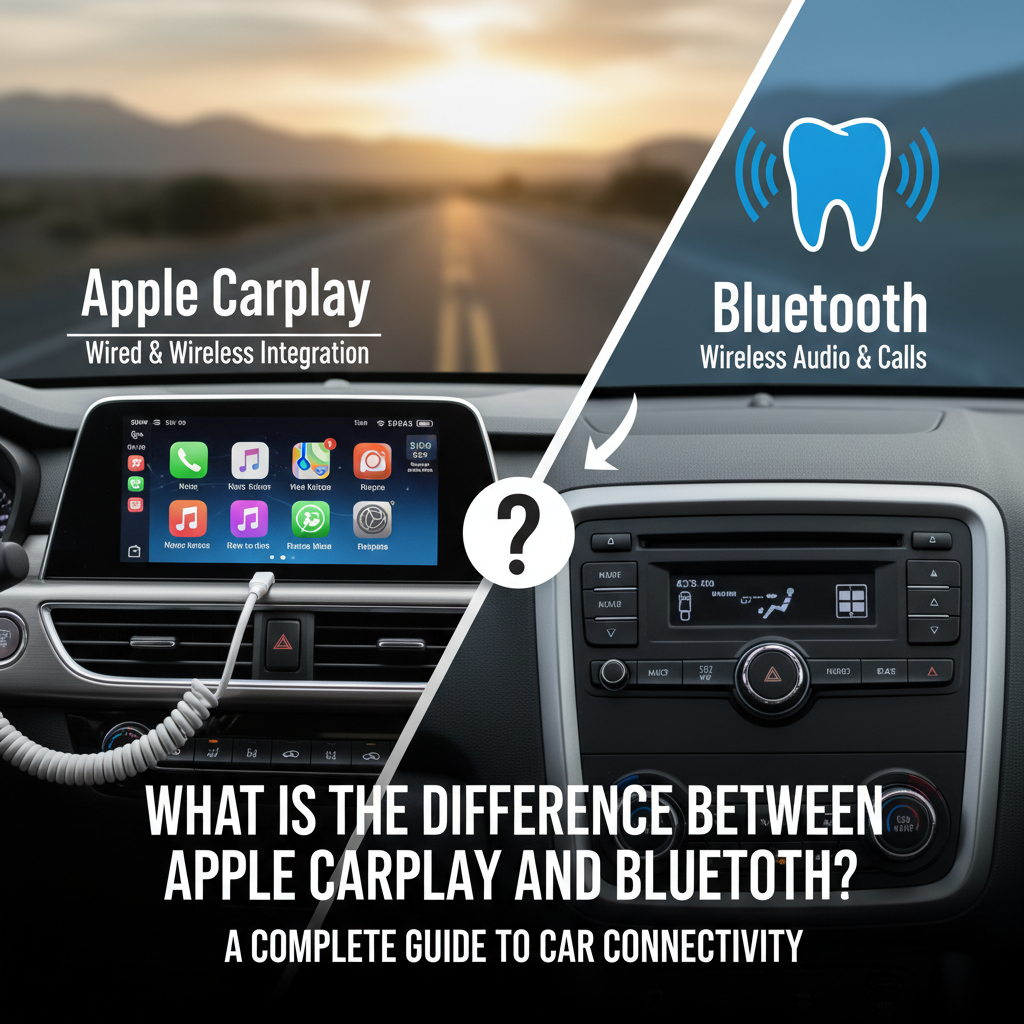
When you’re driving and want to use your phone safely, you have several connectivity options. Two of the most popular choices are Apple CarPlay and Bluetooth. But what is the difference between Apple CarPlay and Bluetooth? Many drivers find themselves confused about which technology to use and when.
Both technologies help you connect your iPhone to your car’s infotainment system, but they work very differently. Understanding these differences can help you make better decisions about your in-car technology and improve your driving experience.
In this comprehensive guide, we’ll explore the key differences between these two connectivity solutions, their unique features, and when to use each one.
Contents
- Understanding Apple CarPlay: The Smart Car Interface
- Understanding Bluetooth: The Wireless Connection Standard
- Core Differences Between Apple CarPlay and Bluetooth
- Performance Comparison: Speed, Quality, and Reliability
- When to Use Apple CarPlay vs Bluetooth
- Setup and Compatibility Considerations
- Cost Considerations and Availability
- Future Developments and Technology Evolution
- Making the Right Choice for Your Needs
- Conclusion
Understanding Apple CarPlay: The Smart Car Interface
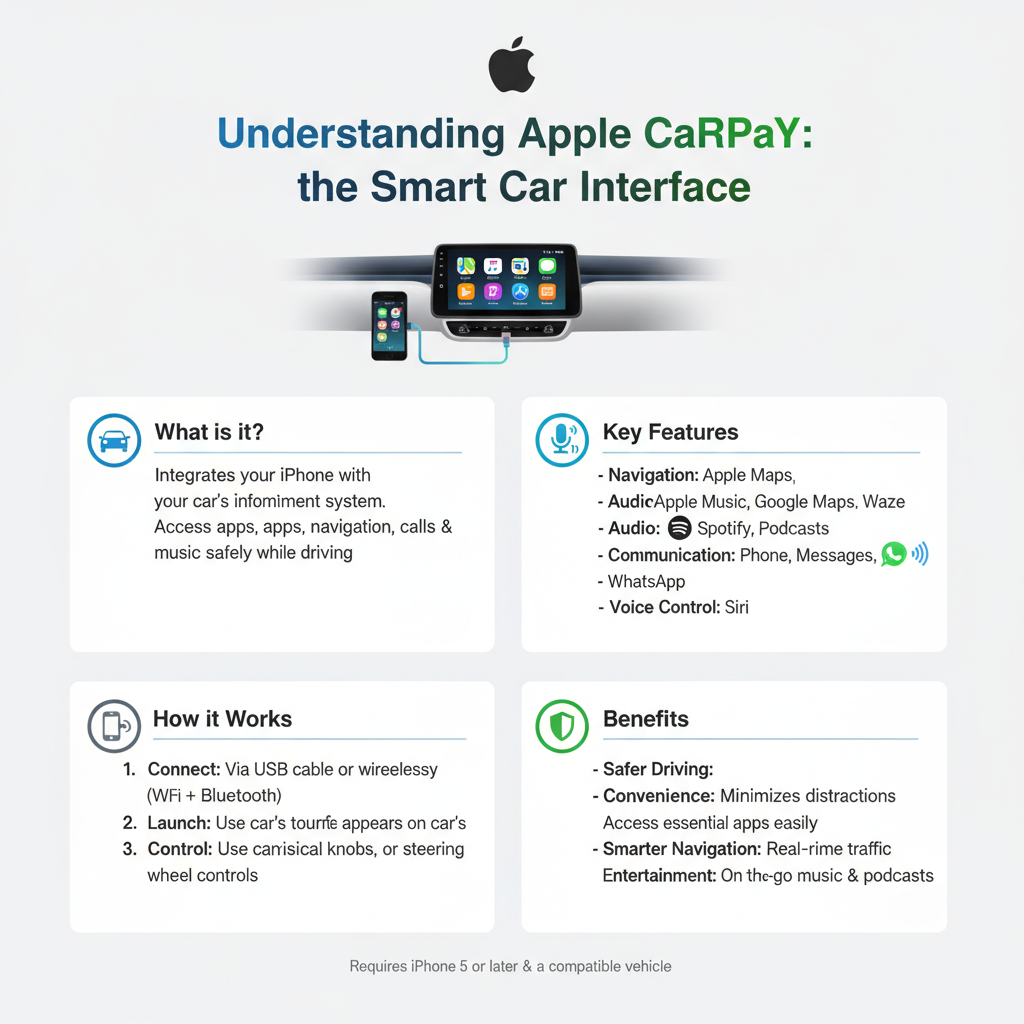
Apple CarPlay is a smart car interface that transforms your vehicle’s display into an iPhone-like experience. When you connect your iPhone to a CarPlay-compatible vehicle, it mirrors selected apps and functions onto your car’s touchscreen.
CarPlay creates a simplified, driver-friendly version of your iPhone’s interface. It displays large icons and uses voice commands through Siri to minimize distractions while driving. The system integrates seamlessly with your car’s existing controls, including steering wheel buttons and touchscreen displays.
Key Features of Apple CarPlay
CarPlay offers several advanced features that go beyond basic phone connectivity:
App Integration: CarPlay supports numerous apps including Maps, Messages, Phone, Music, Podcasts, and many third-party applications like Spotify, Waze, and WhatsApp.
Siri Voice Control: You can control most CarPlay functions using voice commands, making it safer to use while driving.
Native Car Integration: The system works with your car’s existing hardware, including displays, speakers, and microphones.
Real-time Updates: CarPlay receives real-time information for navigation, traffic updates, and messaging.
Many modern vehicles, including the Honda Accord and Toyota Camry, come with built-in CarPlay support, making it easy to access these features without additional hardware.
Understanding Bluetooth: The Wireless Connection Standard
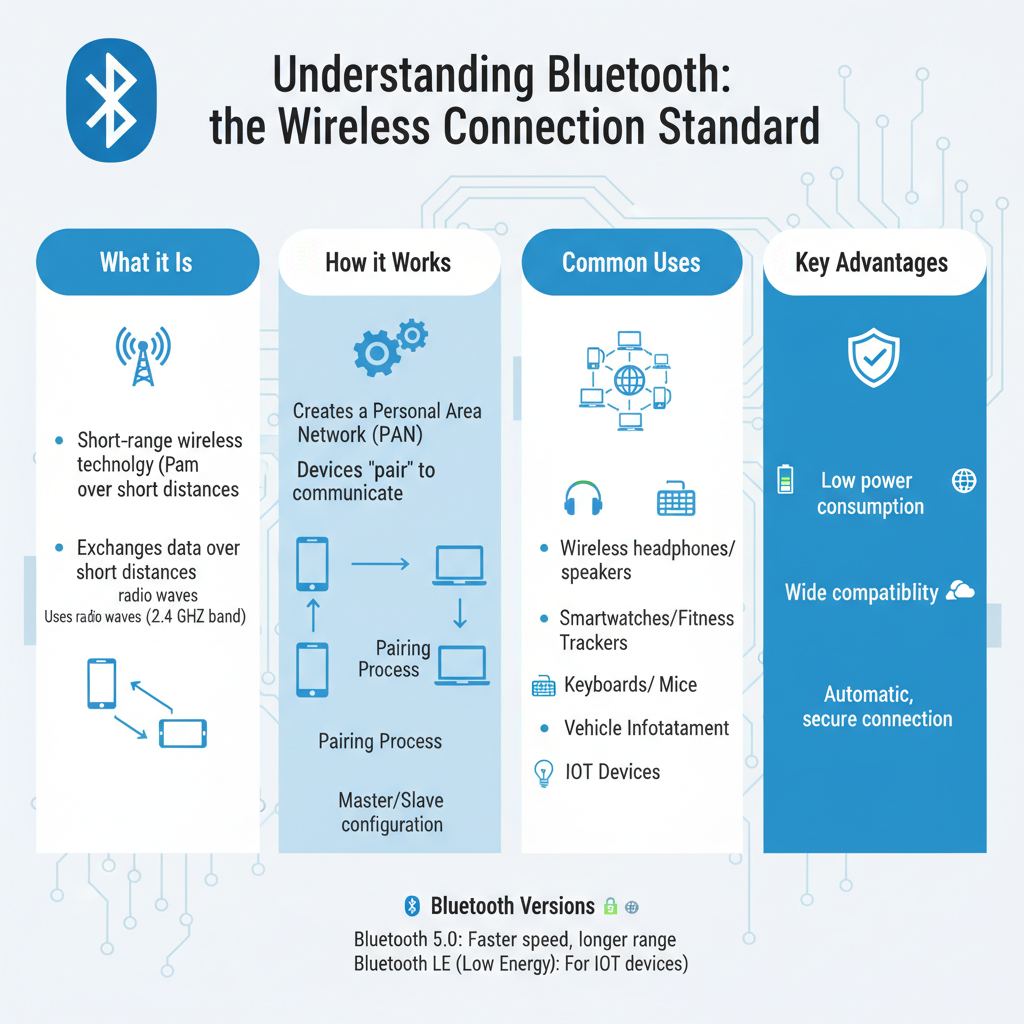
Bluetooth is a wireless communication technology that creates a short-range connection between devices. In cars, Bluetooth primarily handles audio streaming and hands-free calling by connecting your phone to your car’s audio system.
Unlike CarPlay, Bluetooth doesn’t create a visual interface on your car’s screen. Instead, it focuses on audio transmission and basic phone functions. When you pair your iPhone with your car’s Bluetooth system, you can make calls and play music wirelessly.
Key Features of Bluetooth Connectivity
Bluetooth offers several practical benefits for car connectivity:
Hands-free Calling: Make and receive phone calls through your car’s speakers and microphone system.
Audio Streaming: Stream music, podcasts, and other audio content from your phone to your car’s sound system.
Universal Compatibility: Works with virtually all smartphones and most car audio systems manufactured in the last decade.
Automatic Connection: Once paired, your phone automatically connects when you start your car.
Low Power Consumption: Bluetooth uses minimal battery power compared to other connectivity methods.
Core Differences Between Apple CarPlay and Bluetooth
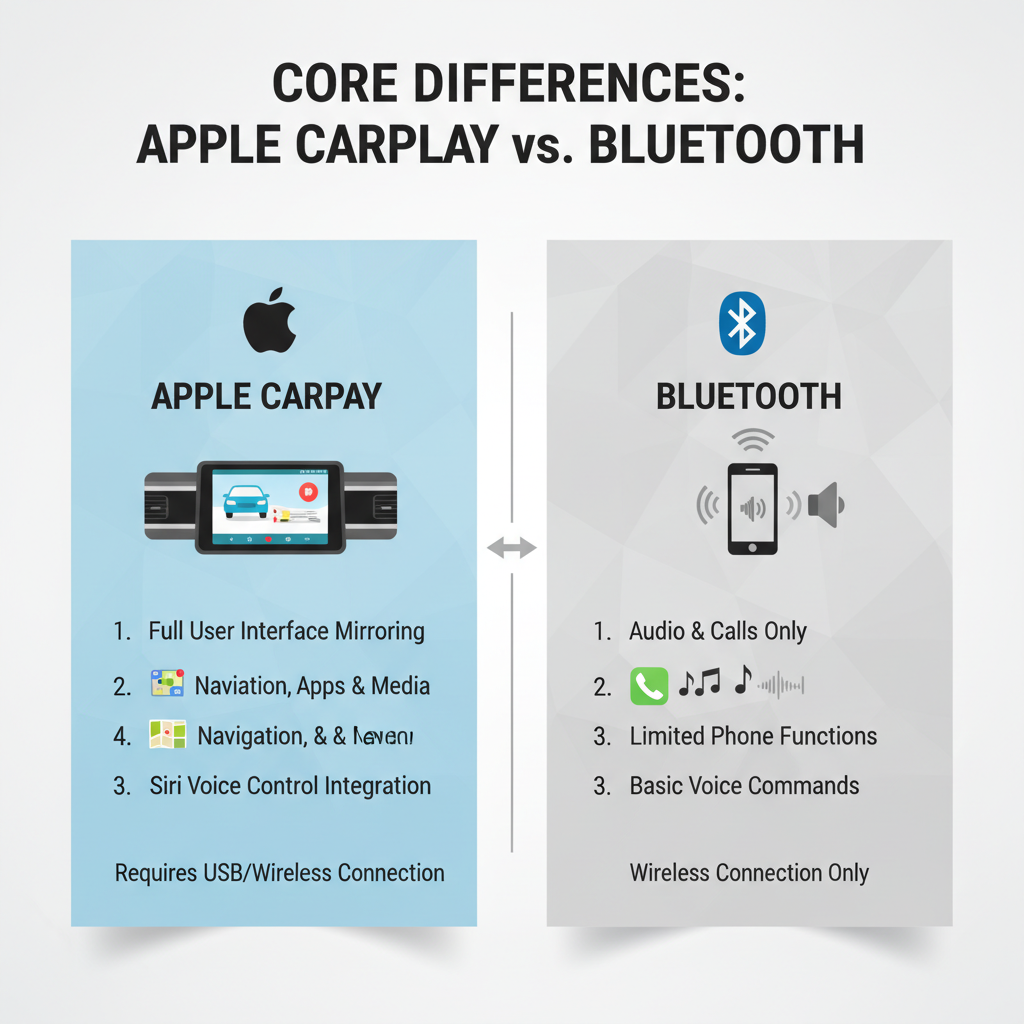
Understanding what is the difference between Apple CarPlay and Bluetooth requires examining several key areas where these technologies diverge.
Visual Interface and Display
The most obvious difference lies in the visual experience. Apple CarPlay creates a complete graphical interface on your car’s display screen. You can see app icons, maps, messages, and other visual elements designed specifically for automotive use.
Bluetooth, however, provides no visual interface. Your car’s display might show basic information like song titles or caller names, but there’s no interactive visual experience. You control everything through your phone or basic car controls.
Functionality and App Support
CarPlay offers extensive app integration and functionality. You can use navigation apps with turn-by-turn directions displayed on your car’s screen, read and respond to text messages, and access numerous entertainment and productivity apps.
Bluetooth functionality is more limited. It handles audio streaming and phone calls well, but you can’t access apps or visual content through the car’s interface. To use navigation or other apps, you must interact directly with your phone.
Connection Methods and Requirements
CarPlay typically requires either a USB cable connection or wireless CarPlay capability (available in newer vehicles). The system needs a CarPlay-compatible car and an iPhone 5 or newer running iOS 7.1 or later.
Bluetooth connection is entirely wireless and works through radio frequency pairing. It’s compatible with virtually all smartphones and doesn’t require specific software versions or hardware beyond basic Bluetooth capability.
User Experience and Safety
CarPlay prioritizes driver safety through its simplified interface and voice control integration. The large icons, clear text, and Siri integration minimize the need to look at or touch the screen while driving.
Bluetooth also promotes safety by enabling hands-free calling and audio control, but it offers less comprehensive voice control. You might still need to interact with your phone for certain functions, which can be less safe while driving.
Performance Comparison: Speed, Quality, and Reliability
When comparing performance aspects, both technologies have distinct advantages and limitations.
Audio Quality Differences
Apple CarPlay typically delivers superior audio quality because it can use both wired and wireless connections optimized for high-quality audio transmission. When connected via USB, CarPlay bypasses Bluetooth compression entirely.
Bluetooth audio quality depends on the supported codecs and connection stability. While modern Bluetooth versions offer good audio quality, they still use compression that can affect sound quality, especially for audiophiles.
Connection Stability and Range
CarPlay connections, especially wired ones, tend to be very stable with minimal dropouts or connection issues. Wireless CarPlay can occasionally experience connectivity problems, but these are generally less frequent than Bluetooth issues.
Bluetooth connections can be affected by interference from other devices, physical obstacles, or distance from the car’s receiver. However, Bluetooth has improved significantly in recent versions, offering more reliable connections than earlier implementations.
Battery Impact on Your iPhone
CarPlay, particularly when used with a wired connection, can actually charge your phone while providing connectivity. This makes it ideal for longer trips where battery life is a concern.
Bluetooth uses relatively little battery power, but it doesn’t charge your device. For extended use, you’ll need a separate charging solution.
When to Use Apple CarPlay vs Bluetooth
Choosing between these technologies depends on your specific needs, car capabilities, and usage patterns.
Best Scenarios for Apple CarPlay
CarPlay excels in situations requiring comprehensive smartphone integration:
Long Road Trips: The navigation integration, messaging capabilities, and entertainment options make CarPlay ideal for extended driving.
Daily Commuting: If you rely on traffic updates, podcasts, or need to handle messages safely while driving, CarPlay provides the best experience.
New Vehicle Ownership: Modern cars like the BMW 3 Series often include advanced CarPlay integration that takes full advantage of the system’s capabilities.
Heavy App Usage: When you need access to multiple apps like navigation, music streaming, and messaging, CarPlay provides seamless integration.
Best Scenarios for Bluetooth
Bluetooth works well for simpler connectivity needs:
Older Vehicles: Cars without CarPlay support can still benefit from Bluetooth connectivity for basic audio and calling functions.
Basic Audio Streaming: If you primarily want to play music from your phone through your car speakers, Bluetooth provides a simple solution.
Multiple Device Support: Bluetooth allows easier switching between different phones or devices without requiring specific compatibility.
Battery Conservation: When you want to minimize battery drain and don’t need advanced features, Bluetooth offers efficient basic connectivity.
Setup and Compatibility Considerations
Getting started with either technology involves different setup processes and compatibility requirements.
Setting Up Apple CarPlay
CarPlay setup is straightforward but requires compatible hardware:
1. Check Compatibility: Ensure your car supports CarPlay and your iPhone runs iOS 7.1 or later
2. Connect Your Device: Use a Lightning cable for wired CarPlay or enable wireless CarPlay in supported vehicles
3. Follow Setup Prompts: Your car’s infotainment system will guide you through the pairing process
4. Customize Settings: Adjust which apps appear in CarPlay through your iPhone’s Settings app
Setting Up Bluetooth Connection
Bluetooth pairing is generally simpler and more universal:
1. Enable Bluetooth: Turn on Bluetooth on both your phone and car’s system
2. Start Pairing Mode: Put your car’s Bluetooth in discoverable mode
3. Select Your Car: Choose your vehicle from the list of available devices on your phone
4. Confirm Pairing: Enter any required PIN codes to complete the connection
5. Test Functionality: Make a test call and play audio to ensure proper connection
Cost Considerations and Availability
The financial aspects of these technologies differ significantly and can influence your decision.
Apple CarPlay Costs
CarPlay itself is free software, but accessing it may involve costs:
New Vehicle Purchase: CarPlay comes standard in many new vehicles, but some manufacturers charge extra for infotainment packages that include CarPlay support.
Aftermarket Installation: Adding CarPlay to older vehicles requires purchasing a compatible aftermarket stereo system, typically costing $200-$800 plus installation.
Cable Replacement: Wired CarPlay requires Lightning cables, which may need periodic replacement.
Bluetooth Costs
Bluetooth connectivity is typically more affordable:
Built-in Support: Most vehicles manufactured after 2010 include Bluetooth capability at no additional cost.
Aftermarket Options: Adding Bluetooth to older cars can cost as little as $20-$100 for basic adapters.
No Ongoing Costs: Once set up, Bluetooth requires no additional purchases or subscriptions.
Future Developments and Technology Evolution
Both technologies continue evolving, with new features and improvements regularly introduced.
CarPlay Advancements
Apple continues enhancing CarPlay with new features:
Wireless CarPlay Expansion: More vehicles are adding wireless CarPlay support, eliminating cable requirements.
App Store Growth: Third-party developers are creating more CarPlay-compatible apps for enhanced functionality.
Integration Improvements: Deeper integration with vehicle systems, including climate control and vehicle settings.
Bluetooth Evolution
Bluetooth technology also advances with new versions:
Improved Audio Quality: Newer Bluetooth versions support higher-quality audio codecs for better sound.
Enhanced Connectivity: Better connection stability and faster pairing processes.
Extended Range: Improved range and connection reliability in various environments.
Making the Right Choice for Your Needs
Deciding between Apple CarPlay and Bluetooth depends on several personal factors and practical considerations.
Consider your driving habits, technology preferences, and vehicle capabilities. If you want comprehensive smartphone integration with visual apps and advanced voice control, CarPlay provides the superior experience. For basic audio streaming and hands-free calling with broad compatibility, Bluetooth offers a practical solution.
Many drivers find that using both technologies together provides the best overall experience. You can use CarPlay for primary functionality while maintaining Bluetooth as a backup connection method.
Conclusion
Understanding what is the difference between Apple CarPlay and Bluetooth helps you make informed decisions about your car’s connectivity options. CarPlay offers a comprehensive, visually-rich smartphone integration experience with extensive app support and advanced voice control. Bluetooth provides reliable, universal wireless connectivity for basic audio and calling functions.
CarPlay excels when you need full smartphone integration, visual app interfaces, and advanced navigation features. It’s particularly valuable for longer trips and daily commuting where you rely heavily on your phone’s capabilities.
Bluetooth works well for simpler needs like music streaming and hands-free calling. It offers broader compatibility, lower costs, and works effectively in older vehicles without advanced infotainment systems.
The choice between these technologies isn’t always either-or. Many modern vehicles support both, allowing you to use CarPlay for comprehensive functionality while maintaining Bluetooth for backup connectivity or when other passengers want to connect their devices.
Consider your specific needs, vehicle compatibility, and budget when choosing between Apple CarPlay and Bluetooth. Both technologies have their place in modern automotive connectivity, and understanding their differences helps you maximize your in-car technology experience while maintaining safety and convenience on the road.