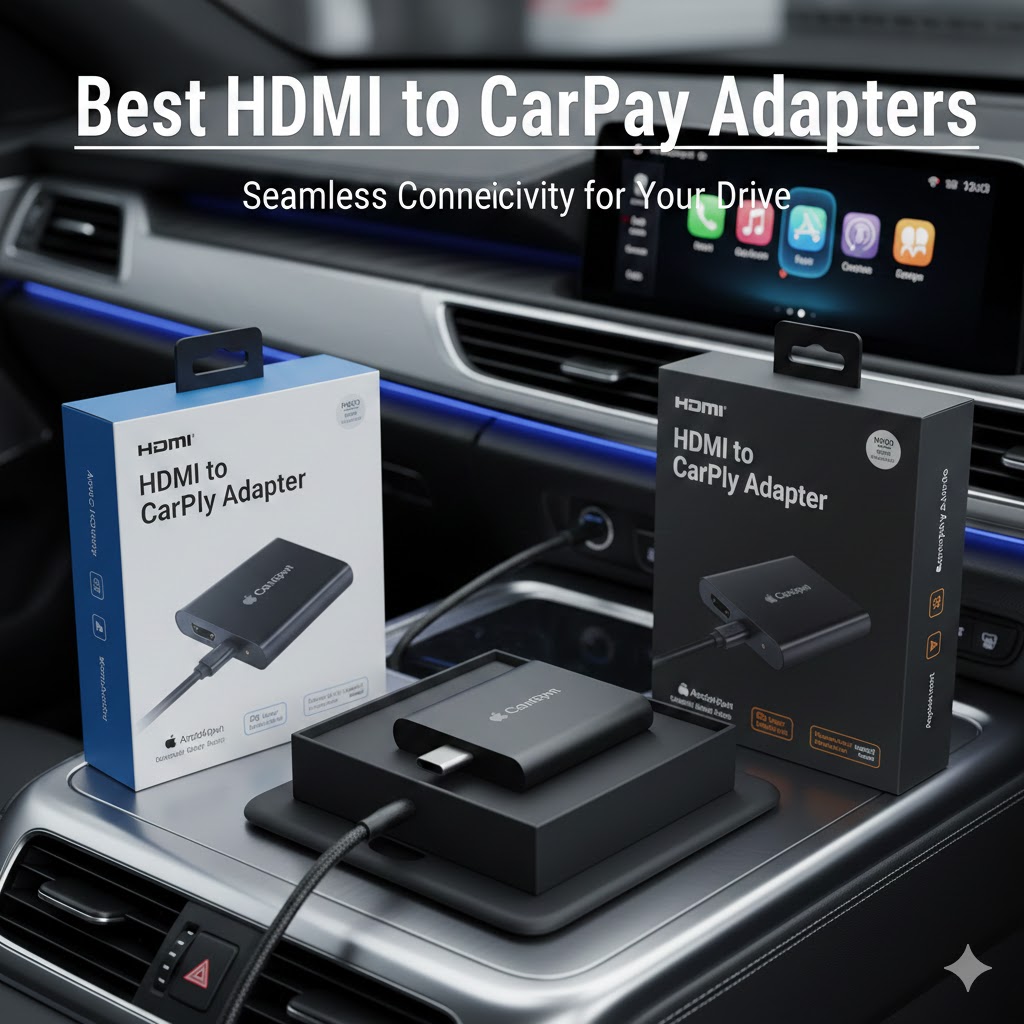
Ever found yourself wanting to stream Netflix during a road trip break or convert your wired CarPlay to wireless? The frustration of dealing with tangled cables while trying to access your favorite apps can turn any drive into a headache.
Finding the right HDMI to CarPlay adapter becomes tricky when you’re juggling compatibility requirements, video quality expectations, and the need for reliable wireless connectivity. The market offers various 2-in-1 solutions, but understanding which features matter most for your specific car and usage patterns makes all the difference in your purchase decision.
Contents
At A Glance
Aluminum Case with Anti-Interference Technology
ByteWave 2-in-1 Wireless CarPlay Adapter
Features high-strength glass top and aluminum alloy shell for superior heat dissipation. The built-in 2FT nylon braided cable includes direct internal signal chip design for stronger connections. Comes with both USB-A and USB-C adapters for maximum vehicle compatibility. Perfect for drivers who prioritize build quality and reliable performance.
Built-in Smart System with Storage
TDT 4-in-1 Wireless CarPlay Adapter
Equipped with 32GB memory and built-in smart system supporting Netflix, YouTube, and TikTok. Offers offline movie playback via USB drive without Wi-Fi requirements. Includes wireless screen mirroring and supports both CarPlay and Android Auto conversion. Ideal for families wanting comprehensive entertainment options during long trips.
30-Second Installation Magic AI Box
LAMTTO Car TV Mate Pro
Features one-click OTA upgrade technology and 30-second setup process. Transforms cars into family entertainment hubs by connecting Fire TV Stick or Switch devices. Supports automatic wireless CarPlay connection with Siri voice navigation. Best suited for users wanting hassle-free installation without technical complications.
Bluetooth 5.2 with OTA Updates
ATOTOMOVE AD1 Wireless CarPlay Box
Features advanced Bluetooth 5.2 technology and OTA update capability through both Android and Apple phones. Supports multiple HDMI devices including TV boxes, game consoles, and Blu-ray players. Offers 18-month extended warranty with 24-hour customer support response. Perfect for tech enthusiasts wanting cutting-edge connectivity features.
Siri Integration with Bluetooth 5.0
LAMTTO HDMI Input CarPlay Adapter
Integrates Siri voice assistant with Bluetooth 5.0 and Wi-Fi connectivity for hands-free operation. Supports cellular network OTA upgrades completing in 2-3 minutes. Features two-step setup process with lifetime technical support. Excellent choice for drivers prioritizing voice control and safety while driving.
HDMI to CarPlay Adapters — Individual Product Reviews
ByteWave 2-in-1 Wireless CarPlay Adapter & Car TV Mate Pro 2025

Specifications
Key Features
• 2-in-1 Wireless Entertainment: Combines wireless CarPlay conversion with HDMI streaming capability for Fire TV Stick, Nintendo Switch, and other devices
• Anti-Interference Design: High-strength glass top and aluminum alloy shell provide excellent heat dissipation and reduced signal interference
• Direct Signal Chip: Built-in 2FT nylon braided cable features internal signal chip design for stronger, more stable connections
• Plug-and-Play Operation: No app installation required – simple connection process with automatic iPhone recognition
• Universal Power Compatibility: Includes both USB-A and USB-C adapters for maximum vehicle compatibility
• Extended Warranty Coverage: 12+12-month warranty with 18-hour customer support response time
Why This Product Is Best
This ByteWave HDMI to CarPlay adapter stands out through its premium construction and anti-interference technology. The aluminum alloy shell with glass top provides superior heat management compared to plastic alternatives, while the direct internal signal chip design ensures more reliable connections than external chip solutions. The inclusion of both USB-A and USB-C power adapters eliminates compatibility concerns across different vehicle models.
Who The Product Is Best For
This adapter suits drivers who prioritize build quality and long-term reliability over basic functionality. The premium materials justify the investment for users who frequently use wireless CarPlay and HDMI streaming features. The extended warranty coverage makes it ideal for buyers wanting peace of mind with responsive customer support. Tech-conscious users appreciate the anti-interference design and signal stability improvements.
Performance
The aluminum construction delivers consistent performance by preventing overheating during extended use sessions. The direct signal chip design maintains stable wireless connections without the dropouts common in cheaper alternatives. Heat dissipation properties ensure reliable operation during summer driving conditions when dashboard temperatures peak. The nylon braided cable withstands repeated flexing without degrading signal quality.
Design
The high-strength glass top combined with aluminum alloy shell creates a premium appearance while serving functional purposes. The built-in 2FT cable eliminates connection point failures common with detachable cables. The compact form factor fits discretely behind dashboard panels without creating bulk. The dual USB adapter system accommodates various vehicle power configurations without requiring separate purchases.
TDT 4-in-1 Wireless CarPlay Adapter & Android Auto

Specifications
Key Features
• 4-in-1 Functionality: Combines wireless CarPlay, Android Auto, smart entertainment system, and HDMI connectivity in one device
• Built-in Smart System: Features efficient smart system with internet connectivity supporting major streaming platforms
• 32GB Internal Storage: Provides ample space for offline content with high-speed file transfer capabilities
• Wireless Screen Mirroring: Enables phone-to-car display mirroring for navigation and entertainment apps
• USB Drive Compatibility: Supports offline movie playback through USB drives without requiring Wi-Fi connections
• Broad Vehicle Support: Works with most mainstream car models equipped with OEM wired systems
Why This Product Is Best
This TDT adapter excels by combining wireless connectivity conversion with a complete entertainment ecosystem. The 32GB storage capacity with offline playback capability eliminates dependency on cellular data during remote area travel. The built-in smart system with native app support provides more comprehensive functionality than simple mirroring solutions. The 4-in-1 design consolidates multiple functions that would otherwise require separate devices.
Who The Product Is Best For
Families undertaking long road trips benefit most from the extensive entertainment options and offline capabilities. Users in areas with poor cellular coverage appreciate the USB drive support for pre-loaded content. Tech enthusiasts wanting comprehensive functionality beyond basic CarPlay conversion find the smart system integration valuable. Budget-conscious buyers get multiple device functionality in a single purchase.
Performance
The 32GB storage provides smooth playback for multiple full-length movies without stuttering or buffering issues. The smart system maintains stable performance across various apps while managing wireless connections efficiently. High-speed file transfer capabilities enable quick content loading from external sources. The system handles multitasking between navigation, entertainment, and communication functions without significant lag.
Design
The compact unit integrates seamlessly with vehicle data ports without requiring complex installation procedures. The single-connection design simplifies setup while maintaining clean dashboard appearance. The system manages multiple input sources internally, reducing cable clutter typical of multi-device setups. The streamlined form factor fits various vehicle configurations without modification requirements.
LAMTTO Car TV Mate Pro and Wireless CarPlay Adapter

Specifications
Key Features
• Magic AI Box Technology: Transforms car screens into entertainment hubs supporting Fire TV Stick and gaming console connectivity
• 30-Second Setup Process: Ultra-fast installation requiring only CarPlay port connection and HDMI device attachment
• OTA Smart Update: One-click system updates without computer requirements or complicated procedures
• Automatic Wireless Connection: Instantly connects wireless CarPlay upon vehicle startup with Siri voice integration
• Entertainment Hub Transformation: Enables family-friendly video streaming and gaming through mainstream apps
• Lifetime Support Promise: Comprehensive support with 24-hour response times and hassle-free return policies
Why This Product Is Best
The LAMTTO adapter distinguishes itself through exceptionally quick setup and intelligent update capabilities. The 30-second installation process eliminates technical barriers that deter less tech-savvy users from upgrading their systems. The OTA update technology ensures the device remains current without requiring professional assistance or complex procedures. The Magic AI Box designation reflects advanced processing capabilities that handle multiple entertainment sources efficiently.
Who The Product Is Best For
Non-technical users benefit most from the simplified 30-second setup process and automatic connection features. Families with children appreciate the entertainment hub capabilities for keeping passengers occupied during long drives. Users wanting future-proof devices value the OTA update capability ensuring ongoing feature improvements. Time-conscious individuals prefer the quick installation over products requiring extensive configuration.
Performance
The Magic AI Box delivers consistent performance across various entertainment applications without system crashes or freeze-ups. Automatic wireless CarPlay connection establishes reliably within seconds of vehicle startup. The OTA update system maintains smooth operation by addressing bugs and adding features regularly. Multiple device connectivity handling demonstrates robust processing power during simultaneous operation scenarios.
Design
The streamlined design focuses on simplicity with minimal connection requirements reducing installation complexity. The compact form factor integrates cleanly with existing vehicle systems without creating visual distractions. The plug-and-play approach eliminates external components that could create failure points. The unified design philosophy prioritizes user experience over technical complexity.
ATOTOMOVE AD1 Wireless CarPlay Box Adapter

Specifications
Key Features
• Bluetooth 5.2 Technology: Advanced wireless connectivity ensuring stable connections with reduced latency and improved range
• Versatile HDMI Support: Compatible with TV boxes, game consoles, DVD players, and Blu-ray devices for comprehensive entertainment
• Cross-Platform OTA Updates: Supports system updates through both Android and Apple phones for enhanced flexibility
• Plug-and-Play Simplicity: Seamless installation without complex configuration requirements or technical expertise
• Extended Product Care: 18-month warranty coverage with dedicated support team and 24-hour response commitment
• Universal Device Integration: Works with common vehicles and multimedia devices for hassle-free compatibility
Why This Product Is Best
The ATOTOMOVE adapter leads through cutting-edge Bluetooth 5.2 technology providing superior connection stability and range compared to older Bluetooth standards. The cross-platform OTA update support accommodates users regardless of their smartphone preference, unlike systems limited to single platforms. The 18-month extended warranty demonstrates manufacturer confidence while providing buyers with extended protection beyond typical coverage periods.
Who The Product Is Best For
Tech enthusiasts seeking latest connectivity standards benefit from the Bluetooth 5.2 implementation and advanced features. Users with diverse device ecosystems appreciate the broad HDMI compatibility and cross-platform update support. Buyers prioritizing long-term protection value the extended warranty coverage and responsive support commitment. Performance-focused users want the reduced latency and improved stability of advanced Bluetooth technology.
Performance
Bluetooth 5.2 technology delivers noticeably improved connection stability with reduced audio dropouts and faster pairing times. The enhanced range allows reliable operation even when phones are positioned throughout vehicle cabins. Cross-platform OTA updates ensure consistent performance improvements regardless of user smartphone preferences. Multiple HDMI device support demonstrates robust processing capabilities without performance degradation during device switching.
Design
The sleek black design integrates discretely with modern vehicle interiors without drawing attention. The plug-and-play form factor eliminates external components that could create installation complications. The universal compatibility approach reduces the need for vehicle-specific adaptations or modifications. The compact dimensions allow flexible placement options within various dashboard configurations.
LAMTTO HDMI Input Car TV & Wireless CarPlay Adapter
Specifications
Key Features
• Integrated Siri Voice Control: Full voice assistant integration enabling hands-free navigation, calls, and messaging through “Hey Siri” commands
• Dual Connectivity Technology: Combines Bluetooth 5.0 and Wi-Fi for reliable wireless connections and smooth media streaming
• Cellular OTA Updates: System upgrades through mobile network completing in 2-3 minutes with automatic restart functionality
• Two-Step Installation: Simplified setup process connecting to CarPlay data port and attaching HDMI devices without technical barriers
• Native System Support: Maintains original car system functionality while adding wireless capabilities and entertainment options
• Lifetime Technical Support: Comprehensive support commitment with 12-month warranty and pre-purchase compatibility assistance
Why This Product Is Best
This LAMTTO adapter excels through comprehensive Siri voice integration that prioritizes driving safety over complex manual controls. The cellular network OTA update capability provides convenience by utilizing existing mobile connections rather than requiring Wi-Fi networks. The lifetime technical support commitment demonstrates long-term customer care beyond typical warranty periods. The two-step setup process eliminates installation anxiety while maintaining professional-grade functionality.
Who The Product Is Best For
Safety-conscious drivers benefit from the comprehensive Siri integration enabling hands-free operation of key functions. Users in areas with limited Wi-Fi access appreciate cellular network OTA updates for system maintenance. Buyers wanting long-term support relationships value the lifetime technical assistance commitment. Tech-cautious users prefer the simplified two-step installation over more complex alternatives.
Performance
Siri voice integration responds quickly and accurately to navigation, messaging, and calling commands without requiring manual interaction. Bluetooth 5.0 and Wi-Fi dual connectivity ensures consistent performance across various network conditions. Cellular OTA updates complete reliably within the promised 2-3 minute timeframe with automatic system restart. The native system support maintains original vehicle functionality without conflicts or performance degradation.
Design
The streamlined design emphasizes voice control interfaces over physical controls reducing driver distraction potential. The two-step setup approach simplifies installation while maintaining clean cable management. The system integrates seamlessly with existing vehicle controls preserving original functionality and appearance. The focus on voice interaction creates a more intuitive user experience aligned with modern safety expectations.
What to Consider Before Buying
Compatibility with iPhone Models
Most HDMI to CarPlay adapters require iPhone 6 or later with iOS 10+ for basic functionality, though some products specify iOS 12+ for optimal performance. The TDT 4-in-1 model supports both iPhone and Android devices, providing flexibility for mixed-device households. However, single-device connectivity limits simultaneous use by multiple passengers.
Check your current iOS version before purchasing, as older iPhones may need system updates to work properly. The wireless connection process requires both Bluetooth and Wi-Fi capabilities enabled on your iPhone, which can impact battery life during longer drives.
Vehicle Head Unit Requirements
These adapters exclusively work with factory-installed wired CarPlay systems from 2016 or newer vehicles. Touch screen operation capability is essential, as button-only interfaces lack the functionality needed for entertainment features. BMW and Tesla vehicles require alternative solutions, as their proprietary systems aren’t compatible with standard adapters.
Verify your vehicle supports OEM wired CarPlay before purchasing, not just USB connectivity or aftermarket systems. Android Auto-equipped vehicles may work with certain models like the TDT 4-in-1, but wireless CarPlay vehicles cannot use these conversion adapters since they already provide wireless functionality.
Video Resolution & Latency
HDMI output quality depends on both the adapter’s processing power and your vehicle’s display capabilities. Gaming applications through Nintendo Switch connections may experience input lag that affects responsive gameplay, particularly in action-oriented games. Streaming video typically performs better than gaming due to less stringent latency requirements.
The adapter’s internal processing affects video smoothness, with models featuring dedicated chips generally outperforming software-only solutions. Network connectivity strength impacts streaming quality more than adapter specifications, making mobile hotspot capability crucial for optimal performance.
Build Quality & Cable Length
Premium materials like aluminum alloy shells and glass tops provide better heat dissipation compared to plastic constructions, preventing performance throttling during extended use. The ByteWave model’s 2FT nylon braided cable offers durability advantages over basic plastic cables that may crack with repeated flexing.
Integrated cables eliminate connection point failures common with detachable designs but limit replacement options if damage occurs. Consider your vehicle’s USB port locations when evaluating cable length requirements, as inadequate reach forces awkward positioning or requires extension cables.
Price vs Performance
Basic HDMI to CarPlay adapters provide essential wireless conversion and entertainment connectivity at lower price points. Premium models justify higher costs through superior materials, extended warranties, and advanced features like Bluetooth 5.2 or cellular OTA updates. The TDT model’s 32GB storage and built-in smart system offer comprehensive functionality that may eliminate the need for separate streaming devices.
Extended warranty periods indicate manufacturer confidence and provide long-term value protection. However, evaluate whether advanced features match your actual usage patterns before paying premium prices for capabilities you won’t utilize.
Setup & Usage
How to Install Your HDMI to CarPlay Adapter
Start by ensuring your vehicle is parked safely with the engine running to maintain power to the USB ports. Locate your car’s factory CarPlay connection port, typically found in the center console or dashboard area near other USB connections. This port should be the same one you’ve used for wired CarPlay with your lightning cable.
Connect the adapter’s main cable to the CarPlay data port, not just any USB port, as power-only connections won’t establish the necessary data communication. Most adapters include both USB-A and USB-C power adapters, so select the appropriate one for your vehicle’s configuration. The power connection can often use a separate USB port if your car has multiple options available.
For HDMI functionality, connect your Fire TV Stick, gaming console, or other HDMI device to the adapter’s HDMI input port. Ensure your streaming device has power either from the adapter itself or from a separate USB power source, depending on your specific model’s design. Enable your iPhone’s Bluetooth and Wi-Fi settings, then look for the “CarPlay-XXXX” network in your Wi-Fi options and connect to establish the wireless link.
Troubleshooting HDMI to CarPlay Connection Issues
If wireless CarPlay fails to connect, first restart both your iPhone and vehicle infotainment system by turning the car off for 30 seconds, then restarting. Delete any existing CarPlay connections from your iPhone’s Bluetooth settings and forget the associated Wi-Fi network before attempting to reconnect. Verify that no other devices are connected to your car’s Bluetooth system, as this can prevent the adapter from establishing its connection.
HDMI connectivity problems often stem from insufficient power delivery to connected devices. Ensure your streaming device receives adequate power from either the adapter or a separate USB port with sufficient amperage output. Check that all cable connections are fully seated, as loose connections cause intermittent signal loss and poor video quality.
Network connectivity issues typically occur when mobile hotspot signals are weak or data allowances are insufficient for streaming applications. Position your mobile hotspot device closer to the adapter and verify that your cellular data plan supports the bandwidth requirements for video streaming. Some adapters work better with dedicated mobile hotspot devices rather than iPhone personal hotspot functionality.
Tips for Optimal Performance on the Road
Maintain adequate ventilation around the adapter to prevent overheating, particularly during summer driving conditions when dashboard temperatures can exceed 150°F. Avoid covering the device with papers or other materials that could block heat dissipation and cause performance throttling or system shutdowns.
Pre-download content to devices with storage capabilities like the TDT model’s 32GB memory to reduce dependence on cellular data during remote area travel. This approach ensures consistent entertainment availability regardless of network coverage quality. For gaming applications, use wired controllers when possible to minimize input lag and improve response times compared to wireless controller connections.
Position your mobile hotspot device in areas with strong cellular signal reception, often near windows or higher dashboard locations. Monitor your data usage through streaming applications, as high-definition video content can consume several gigabytes per hour of viewing time. Consider downloading lower resolution content for longer trips to conserve data allowances while maintaining acceptable viewing quality.
FAQs and Answers about HDMI to CarPlay Adapters
Can I use Netflix and other streaming apps with these adapters?
Yes, but the adapters themselves don’t include built-in streaming apps. You’ll need to connect external devices like Fire TV Stick or similar streaming devices through the HDMI port, plus provide internet connectivity through a mobile hotspot or in-car Wi-Fi system.
Will these adapters work with my BMW or Tesla?
No, most HDMI to CarPlay adapters specifically exclude BMW and Tesla compatibility due to proprietary system differences. These manufacturers use different communication protocols that aren’t compatible with standard CarPlay conversion adapters.
Do I need to keep my iPhone plugged in after connecting wirelessly?
No, once the wireless CarPlay connection is established, you can disconnect your iPhone from any cables. However, wireless connectivity and screen mirroring can drain your iPhone battery more quickly than wired connections, so consider charging options for longer drives.
Can multiple people connect their phones simultaneously?
Most adapters support only one iPhone connection at a time for wireless CarPlay functionality. You’ll need to disconnect one device before another can establish a wireless connection, though some models support switching between devices through settings menus.
What internet speed do I need for streaming video content?
For standard definition streaming, you’ll typically need at least 3-5 Mbps, while HD content requires 10-15 Mbps for smooth playback. Keep in mind that mobile hotspot speeds can vary significantly based on cellular tower proximity and network congestion, particularly in rural areas.
Conclusion
The right HDMI to CarPlay adapter transforms your daily commute into an entertainment experience while maintaining the safety and convenience of wireless connectivity – choose based on your specific vehicle compatibility and entertainment priorities, and you’ll enjoy years of enhanced driving experiences.