As an Amazon Associate & Influencer, we earn from qualifying purchases you might make if you click any of the links or buttons on this page at no expense to you.
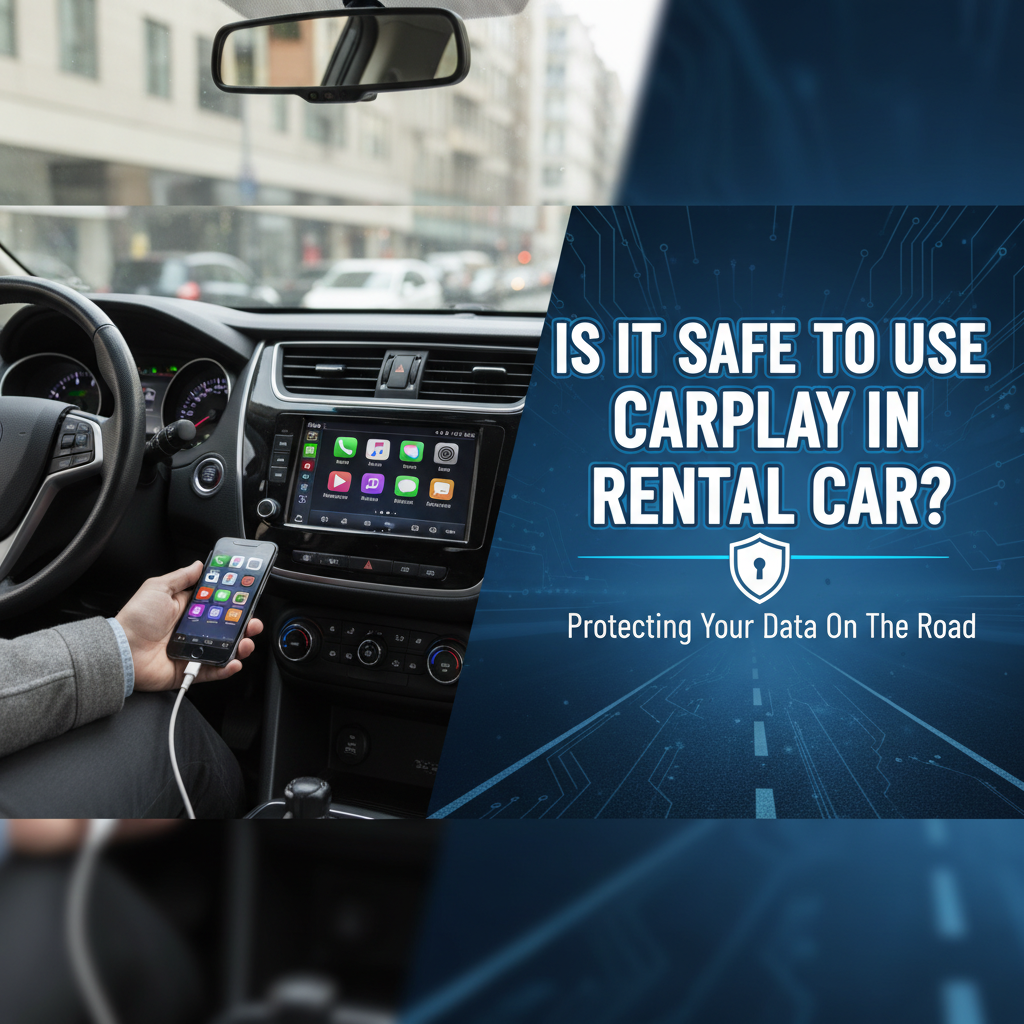
When you’re traveling and pick up a rental vehicle, connecting your iPhone to the car’s infotainment system through Apple CarPlay might seem like the natural thing to do. After all, having access to your familiar navigation apps, music, and contacts makes driving in unfamiliar territory much easier. However, many travelers wonder: is it safe to use CarPlay in rental car situations?
The short answer is that using CarPlay in rental cars comes with both benefits and potential privacy risks. While the technology itself is generally secure, the shared nature of rental vehicles creates unique concerns about data privacy and personal information security. Understanding these risks and knowing how to protect yourself is crucial for any traveler who wants to enjoy the convenience of CarPlay without compromising their digital privacy.
In this comprehensive guide, we’ll explore everything you need to know about CarPlay safety in rental vehicles, from understanding the technology to implementing best practices for secure usage.
Understanding CarPlay Technology and Data Storage
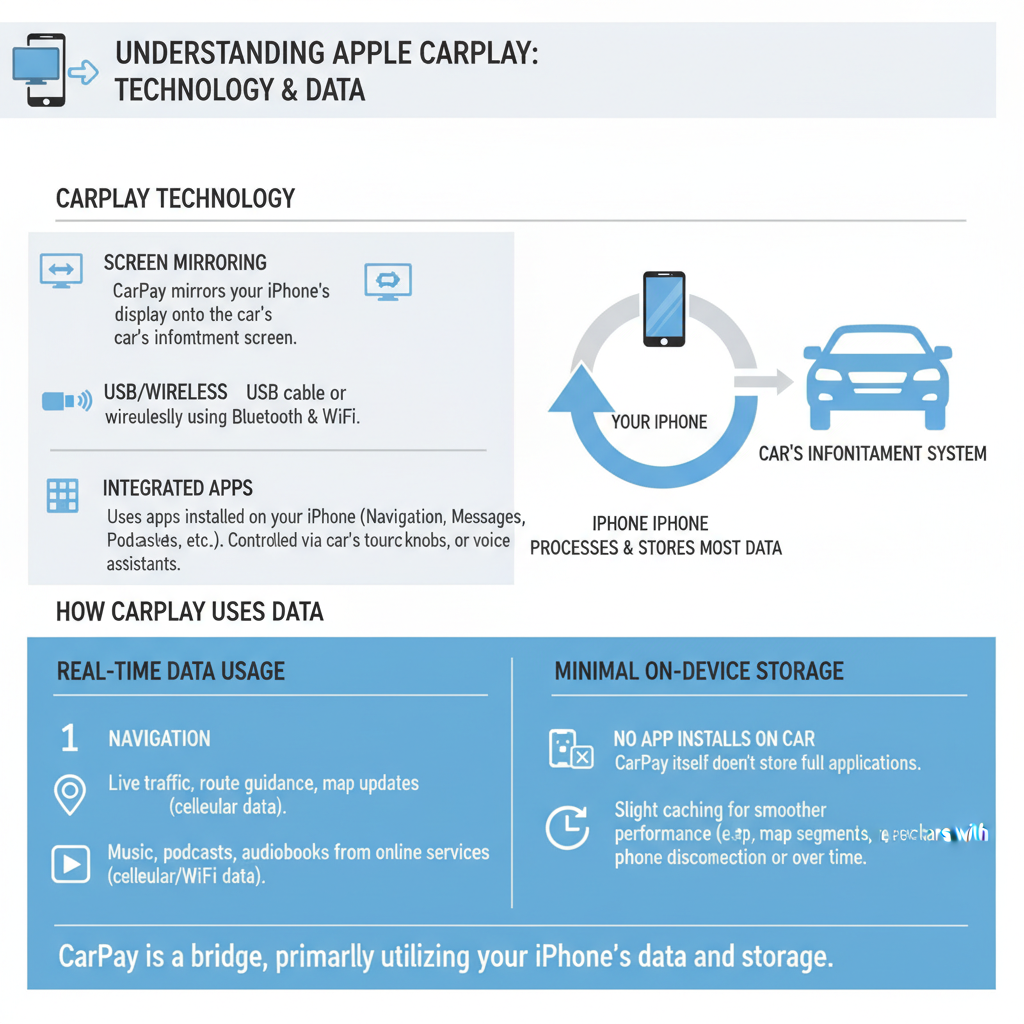
Apple CarPlay is designed as a projection system that mirrors your iPhone’s interface onto the car’s display screen. When you connect your device using a Lightning cable or wirelessly, CarPlay doesn’t typically store personal data directly on the vehicle’s hard drive. Instead, it creates a temporary connection that should theoretically end when you disconnect your phone.
However, the reality is more complex. Modern rental cars, including popular models like the Toyota Camry and Honda Accord, often come equipped with sophisticated infotainment systems that may cache certain types of information. While CarPlay itself is designed with privacy in mind, the car’s native system might retain connection logs, device names, or even fragments of data from your usage session.
The level of data retention varies significantly between different car manufacturers and infotainment system versions. Some systems are better at clearing temporary data, while others might maintain connection histories or paired device information longer than you’d expect. This variability makes it essential to understand what happens to your data when you use CarPlay in any vehicle you don’t own.
Most concerning is that rental car companies don’t typically have standardized procedures for clearing personal data between rentals. While they might clean the physical interior thoroughly, the digital cleaning of infotainment systems often gets overlooked, potentially leaving traces of previous renters’ information accessible to subsequent users.
Privacy Risks When Using CarPlay in Rental Vehicles
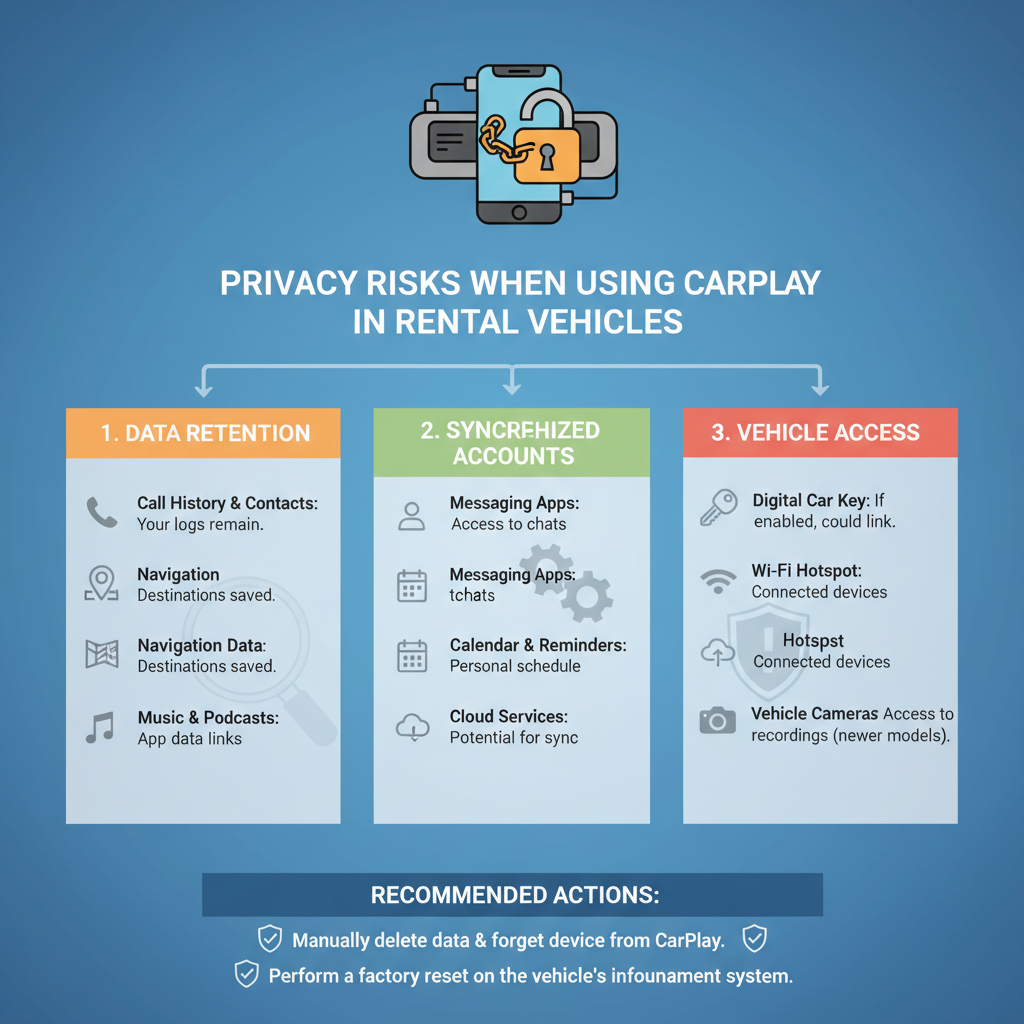
The primary concern about CarPlay safety in rental cars revolves around data privacy rather than immediate security threats. When you connect your iPhone to a rental car’s system, several types of information could potentially be accessed or stored by the vehicle’s computer systems.
Contact information represents one of the most significant privacy risks. If you make calls through CarPlay or if the system accesses your contacts for any reason, names and phone numbers might be temporarily stored in the car’s memory. Even after disconnecting your device, this information could remain accessible to future renters or rental company employees.
Navigation history poses another privacy concern. While CarPlay typically uses your phone’s GPS and mapping data, some integration with the car’s navigation system might occur. Recent destinations, frequently visited locations, or even your home address could potentially be stored in the vehicle’s system, creating a detailed picture of your travel patterns and personal locations.
Music and media preferences might seem less critical, but they can reveal personal information about your lifestyle, interests, and habits. Some infotainment systems log music streaming activity or remember playlist preferences, which could be accessed by subsequent users of the rental vehicle.
Text message notifications and call logs represent perhaps the most sensitive data at risk. While CarPlay is designed to handle this information securely, system glitches or improper disconnection procedures could potentially leave message previews or call histories accessible through the car’s interface.
Step-by-Step Guide to Safely Use CarPlay in Rental Cars
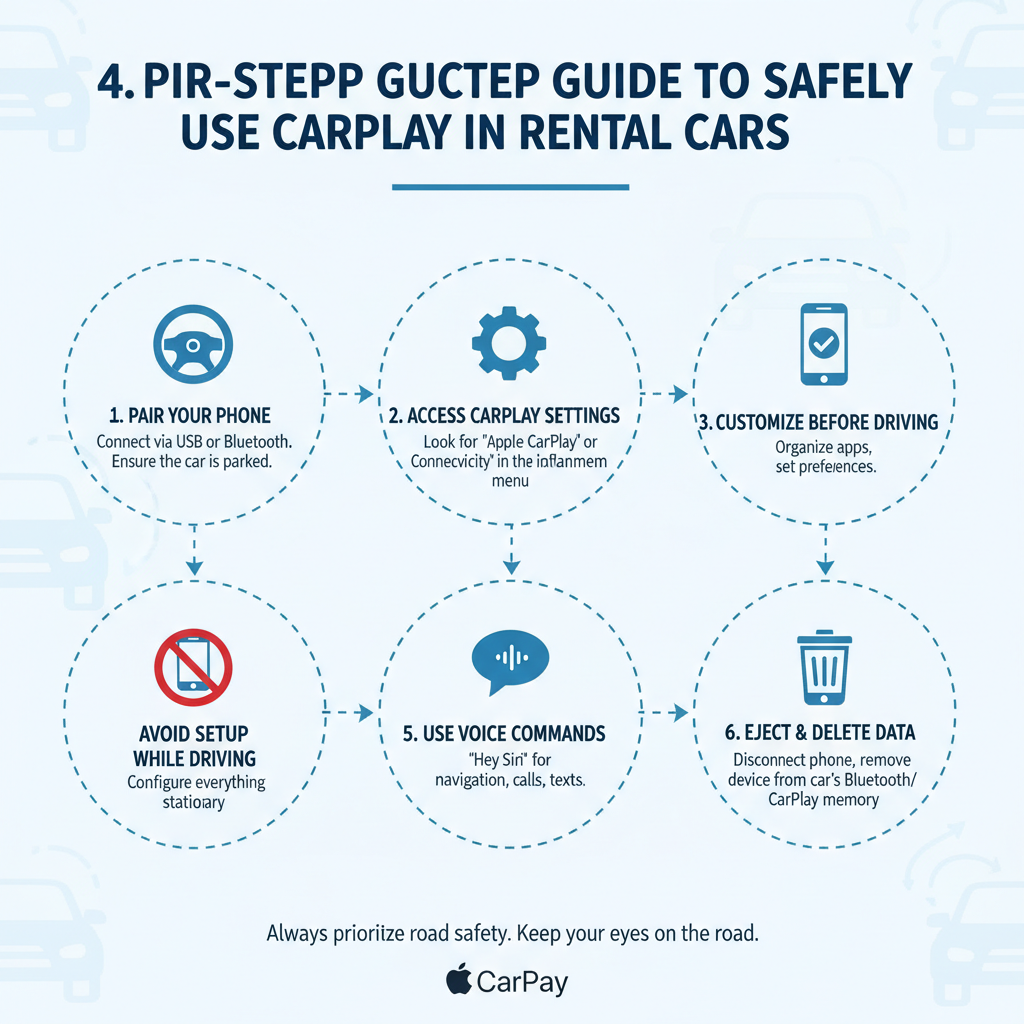
Using CarPlay safely in rental vehicles requires following specific procedures before, during, and after your rental period. Here’s a comprehensive approach to protect your privacy while still enjoying the convenience of CarPlay connectivity.
Before Connecting Your Device
Start by examining the rental car’s infotainment system before connecting your iPhone. Look for any previous user’s information that might still be displayed, such as paired devices, recent destinations, or contact information. If you find personal data from previous renters, this indicates the system isn’t being properly cleared between rentals.
Check your iPhone’s CarPlay settings and ensure you’re comfortable with what information will be accessible. Go to Settings > Screen Time > Content & Privacy Restrictions > Allowed Apps and review which applications can access CarPlay. Disable any apps containing sensitive information that you don’t absolutely need while driving.
Consider creating a separate user profile on your iPhone specifically for travel if your device supports it. This profile should contain only essential apps and minimal personal information, reducing the amount of sensitive data potentially exposed during CarPlay usage.
During Connection and Usage
When connecting your iPhone to the rental car’s CarPlay system, pay attention to any permission requests or data sharing prompts. Modern Ford Explorer and similar rental vehicles often display consent screens asking about data usage and storage. Read these carefully and decline any unnecessary data sharing options.
Use wired connections when possible rather than wireless CarPlay. Wired connections generally provide better control over the connection process and make it easier to ensure complete disconnection when you’re finished. Wireless connections can sometimes maintain background connections even when you think you’ve disconnected.
Limit your usage to essential functions only. While it might be tempting to access all your apps and services through CarPlay, restricting usage to navigation and hands-free calling reduces the amount of personal data potentially exposed to the rental car’s systems.
Avoid storing any destinations in the car’s native navigation system, even if prompted. Always use your phone’s navigation apps through CarPlay rather than inputting addresses directly into the car’s built-in GPS system.
Proper Disconnection Procedures
Before ending your rental period, follow a systematic disconnection process to minimize data retention risks. Start by properly disconnecting your iPhone from CarPlay through both your phone’s settings and the car’s infotainment system menu.
Access the car’s Bluetooth and device connection settings to remove your iPhone from any paired device lists. Even if you used a wired connection, some systems automatically create Bluetooth pairings that need manual removal.
Clear any recent destinations or navigation history from the car’s built-in systems. Look for options to delete recent addresses, clear route history, or reset navigation preferences to factory defaults.
If the infotainment system offers a “reset” or “clear personal data” option, use it before returning the rental car. Some newer vehicles include specific privacy clearing functions designed for shared vehicle situations.
Implementing consistent security practices when using CarPlay in rental cars helps protect your privacy across different vehicles and rental companies. These practices should become routine whenever you’re using your personal device in a shared or temporary vehicle.
Always assume that some level of data retention is possible, regardless of the car manufacturer’s claims about privacy protection. This mindset encourages more cautious behavior and better privacy protection practices.
Consider using alternative solutions for sensitive activities. For highly confidential calls or navigation to private locations, consider using your phone’s speaker or a separate Bluetooth headset rather than the car’s CarPlay system.
Keep your iPhone’s software updated to ensure you have the latest privacy protections and security features. Apple regularly updates CarPlay security protocols, and staying current helps protect against newly discovered vulnerabilities.
Document the rental car’s infotainment system condition both before and after your usage. Taking photos of the system’s main screens can provide evidence of proper data clearing if privacy concerns arise later.
Alternative Solutions and Workarounds
If you’re uncomfortable with the privacy risks of using CarPlay in rental cars, several alternative solutions can provide similar convenience without the data exposure concerns.
Smartphone mounts and holders offer a simple way to use your phone’s navigation and apps without connecting to the car’s systems. Modern mounts provide excellent visibility and can often integrate with the car’s power outlets for charging without data connection.
Bluetooth-only connections for audio can provide hands-free calling and music streaming without the deeper system integration that CarPlay requires. This approach limits data exposure while still offering essential connectivity features.
Portable navigation devices represent another alternative, though they’re less convenient than smartphone-based solutions. These dedicated GPS units don’t contain personal information and can be easily removed when parking or returning the rental car.
Consider using rental car companies that specifically address digital privacy in their policies. Some premium rental services now offer guaranteed data clearing procedures or provide vehicles with privacy-focused infotainment configurations.
Making an Informed Decision About CarPlay in Rentals
Ultimately, deciding whether to use CarPlay in rental cars requires balancing convenience against privacy risks based on your personal comfort level and specific travel needs. For many travelers, the benefits of familiar navigation and hands-free communication outweigh the potential privacy concerns, especially when proper precautions are followed.
Business travelers handling sensitive information might choose to avoid CarPlay in rentals entirely, while vacation travelers might find the convenience worth the minimal risks. Consider the nature of your trip, the sensitivity of your data, and your technical comfort level with privacy protection measures.
The rental car industry is gradually becoming more aware of digital privacy concerns, and many companies are implementing better data clearing procedures. However, until these practices become universal and standardized, individual travelers must take responsibility for protecting their personal information.
Is it safe to use CarPlay in rental car situations? The answer depends on your definition of “safe” and your personal privacy requirements. From a functional safety standpoint, CarPlay works reliably in most rental vehicles and can actually improve driving safety by providing hands-free access to navigation and communication tools. From a privacy perspective, risks exist but can be managed through careful usage practices and proper disconnection procedures.
By understanding these risks, following best practices for secure usage, and implementing proper disconnection procedures, most travelers can safely enjoy the convenience of CarPlay in rental vehicles while protecting their personal information. The key is making an informed decision based on your specific needs and comfort level with the inherent privacy trade-offs involved in using personal technology in shared vehicles.
As automotive technology continues evolving and rental companies adapt their privacy policies, the landscape of CarPlay safety in rental cars will likely improve. Until then, informed travelers who follow proper security practices can generally use CarPlay in rentals with acceptable risk levels.